

Aprašymas
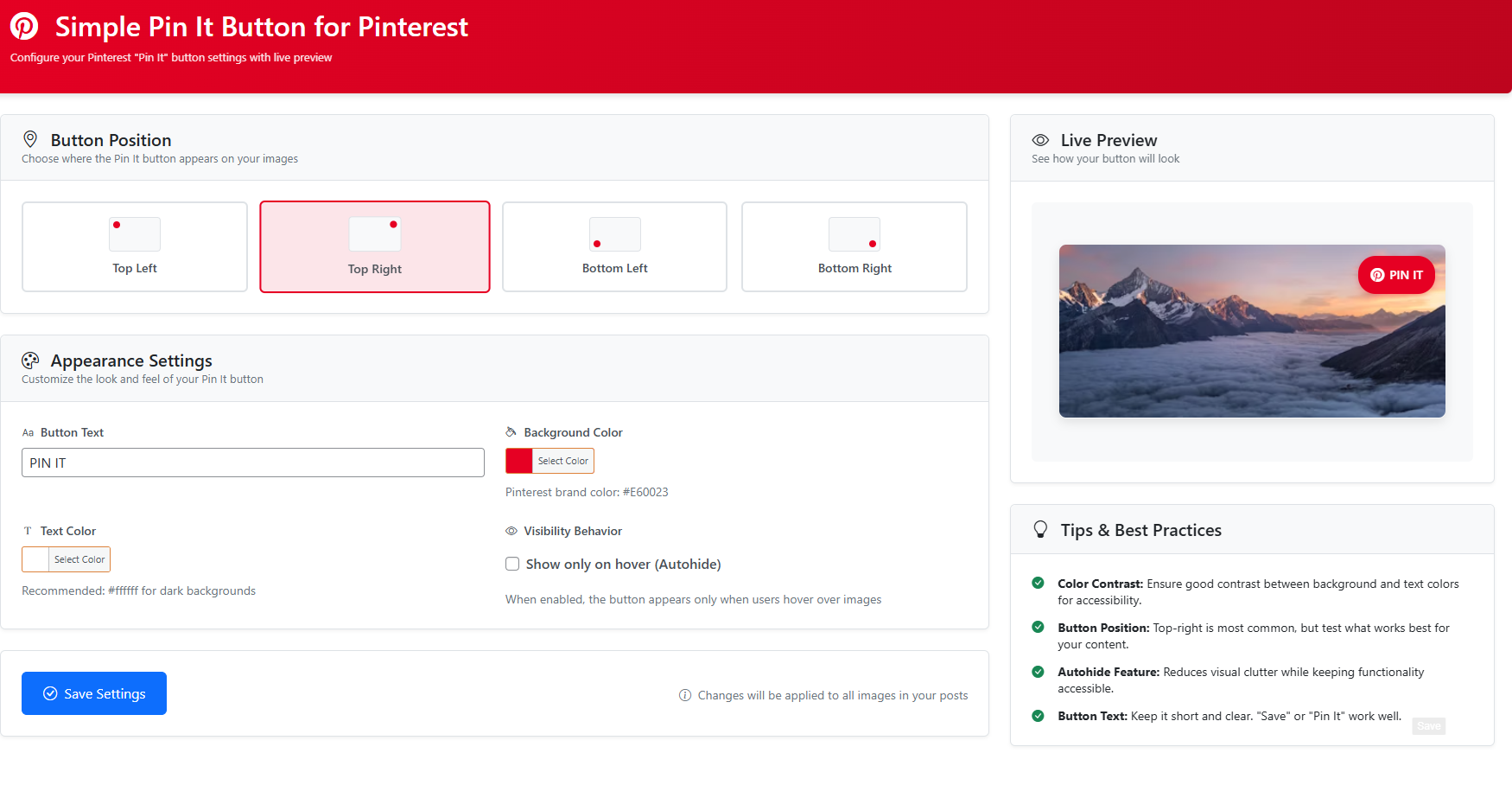
Simple Pin It Button for Pinterest is a lightweight WordPress plugin that allows you to add a „Pin It” button overlay to images in your posts. The button is fully customizable through the plugin settings page, where you can adjust:
- Button location (Top Left, Top Right, Bottom Left, Bottom Right)
- Button background color
- Font color
- Enable or disable autohide
- Customize the „Pin It” text
Encourage your visitors to share your content on Pinterest with ease!
Ekrano nuotraukos
Diegimas
- Upload the
simple-pinterest-pinfolder to the/wp-content/plugins/directory, or install the plugin directly through the WordPress Plugins screen. - Activate the plugin through the ‘Plugins’ screen in WordPress.
- Go to ‘Settings > Simple Pin It Button’ to configure your options.
DUK
-
Yes, you can customize the text (e.g., „Pin It”, „Save It”) from the plugin settings page.
-
Does this plugin work with all themes?
-
The plugin works with most WordPress themes.
-
Is this plugin compatible with the latest WordPress version?
-
Yes, Simple Pin It Button for Pinterest is tested with the latest WordPress version (6.7).
Atsiliepimai


Programuotojai ir komandos nariai
“Simple Pin It Button for Pinterest” yra atviro kodo programa. Prie jos sukūrimo prisidėję žmonės surašyti toliau.
Autoriai

Išverskite “Simple Pin It Button for Pinterest” į savo kalbą.
Domina programavimas?
Peržiūrėkite kodą, naršykite SVN repozitorijoje, arba užsiprenumeruokite kodo pakeitimų žurnalą per RSS.
Pakeitimų istorija
1.2
- Settings page redesigned
1.1
- CSS Issue Fixed on Elementor
1.0
- Initial release with customizable „Pin It” button functionality.