
Aprašymas
PKart Product Attributes Display adds a lightweight block that shows the value of any WooCommerce product attribute, right where you want it in your block theme.
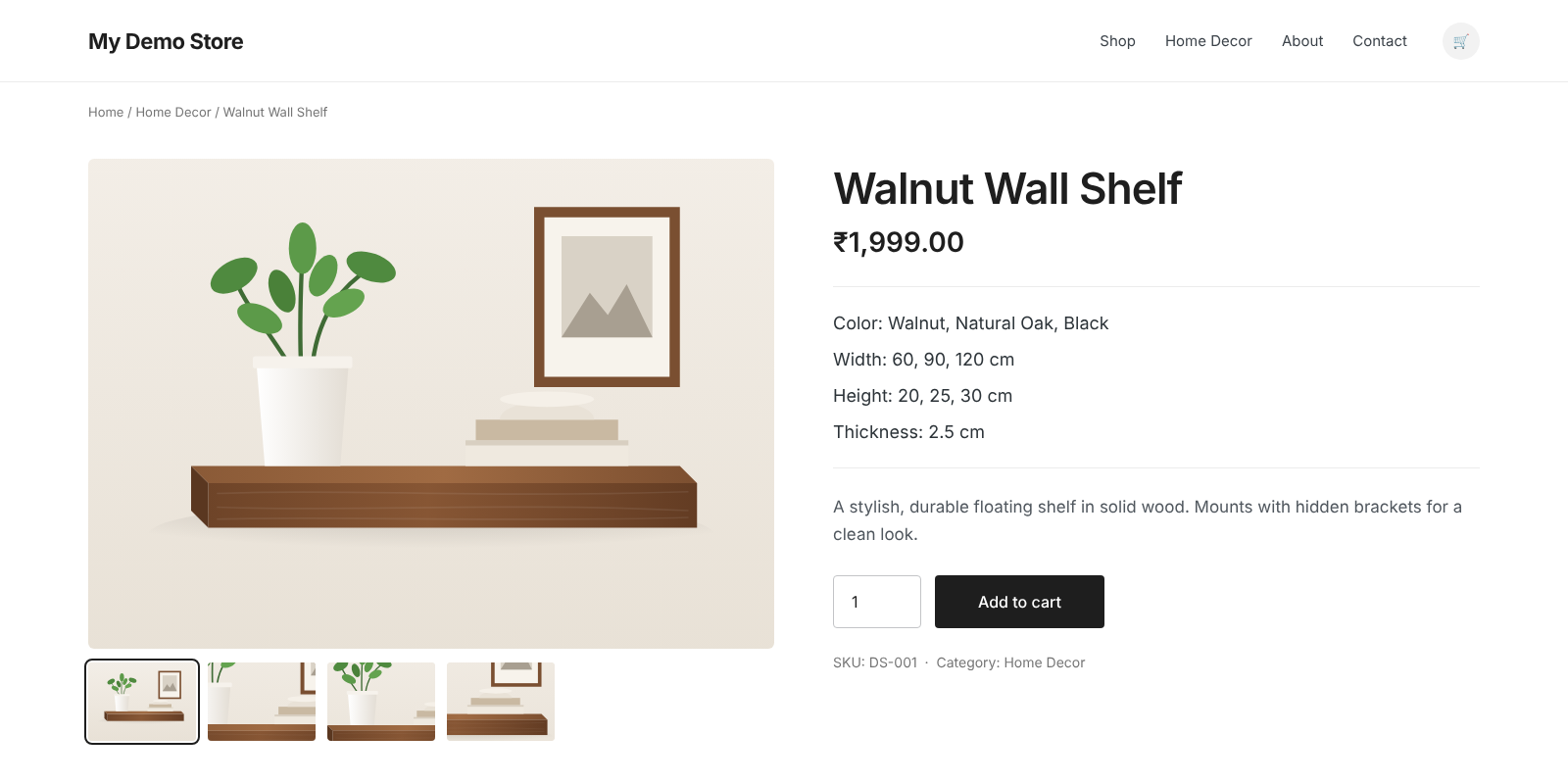
By default, WooCommerce only lists attributes in the „Additional information” tab. With this plugin you can place individual attributes, such as Color: Walnut, Natural Oak, Black or Width: 60, 90, 120 cm, directly under the product title or price, inside product grids, or anywhere else in the Site Editor.
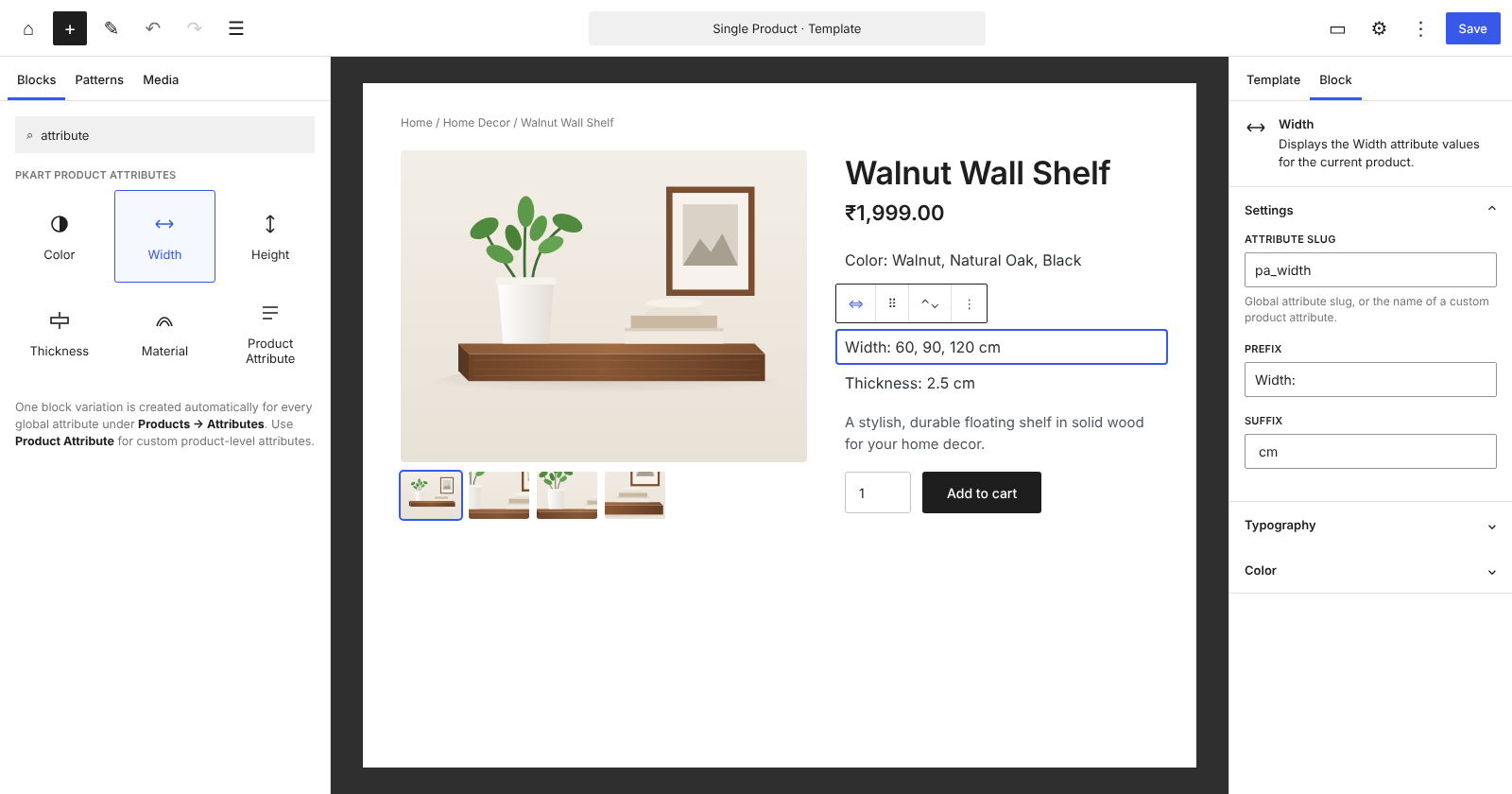
Every global attribute you create under Products Attributes automatically appears in the block inserter as its own block, named after the attribute. Insert it, optionally add a prefix and suffix, and you’re done.
Features
- One block per attribute. A block variation is created automatically for every global WooCommerce attribute (Color, Width, Height, Material, …).
- Global and custom attributes. Works with taxonomy-based global attributes and product-level custom attributes.
- Prefix and suffix. Add labels and units, such as
Width:andcm. - Multiple values. Displays multiple values as a clean, comma-separated list.
- Works where products live. Use it in the Single Product template, the Product Collection block, and any other block that provides product context.
- Hides itself when empty. Nothing is output for products that don’t have a value for the selected attribute, so there are no empty labels.
- Easy to style. Prefix, value, and suffix are wrapped in their own CSS classes.
- Lightweight. No settings page, no custom database tables, and no front-end JavaScript.
- Compatible with modern WooCommerce. Declares compatibility with High-Performance Order Storage (HPOS) and the Cart and Checkout blocks.
How it works
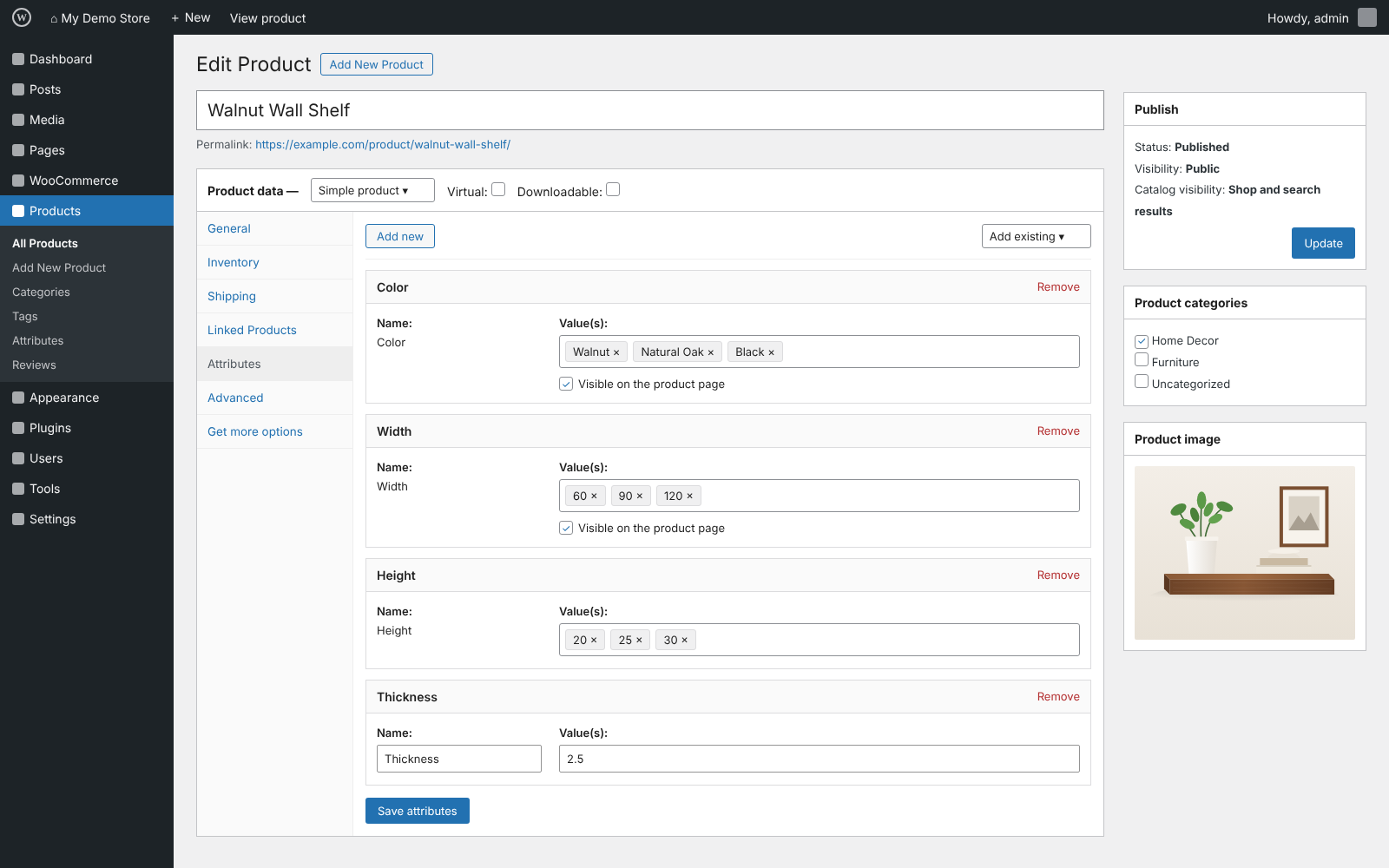
- Create or reuse attributes under Products Attributes, or add custom attributes to individual products.
- Assign attribute values to your products.
- Open Appearance Editor and edit the Single Product template, or any template containing a Product Collection block.
- Search the block inserter for your attribute’s name (for example, „Width”) and insert it.
- Add an optional prefix and suffix in the block settings sidebar.
Requirements
- WordPress 6.5 or later
- WooCommerce 8.0 or later
- PHP 7.4 or later
- A block theme (or a theme that supports block templates)
Ekrano nuotraukos
Blokai
Šis įskiepis suteikia 1 bloką.
- PKart Product Attributes Display Displays a selected WooCommerce product attribute inside a product block.
Diegimas
Automatic installation
- Make sure WooCommerce is installed and activated.
- In your WordPress dashboard, go to Plugins Add New Plugin.
- Search for „PKart Product Attributes Display”.
- Click Install Now, then Activate.
Manual installation
- Download the plugin ZIP file.
- Go to Plugins Add New Plugin Upload Plugin and upload the ZIP file, or extract it and upload the
pkart-product-attributes-displayfolder to/wp-content/plugins/. - Activate the plugin from Plugins Installed Plugins.
After activation
- Go to Appearance Editor Templates and open the Single Product template, or a template that contains a Product Collection block.
- Search the block inserter for an attribute name, such as „Color”, and insert it inside the product area.
- In the block settings sidebar, adjust the Attribute slug, Prefix, and Suffix if needed.
- Save the template.
DUK
-
Does this plugin require WooCommerce?
-
Yes. WooCommerce must be installed and active.
-
Does it work with classic themes?
-
The plugin provides a block, so it needs a theme that supports block templates, such as Twenty Twenty-Four or Twenty Twenty-Five. It can also be used in any block that provides product context.
-
Where can I use the block?
-
Anywhere a product is available as block context: the Single Product template, inside the Product Collection block’s product template, and similar product blocks. Outside of a product context, the block outputs nothing.
-
My attribute does not appear in the block inserter. Why?
-
Automatic blocks are created only for global attributes, which are managed under Products Attributes. Create the attribute there and it will appear in the inserter, searchable by its name.
-
How do I display a custom (product-level) attribute?
-
Insert any attribute block, then change its Attribute slug in the block settings to the name of your custom attribute, in lowercase with spaces replaced by hyphens. For example, a custom attribute named „Fabric Type” uses the slug
fabric-type, and „Thickness” usesthickness. -
What should I enter as the attribute slug for a global attribute?
-
Use the attribute’s taxonomy name with the
pa_prefix, for examplepa_colororpa_width. Blocks inserted from the inserter fill this in for you. -
Why is the block empty on some products?
-
The block only outputs content when the current product has a value for the selected attribute. This keeps your layout clean when an attribute does not apply to a product.
-
Can I style the output?
-
Yes. The block renders a paragraph with the class
wp-block-pkart-shop-attributes, plus the attribute slug as an extra class (for examplepa_color). Inside it you’ll find:.wp-block-pkart-product-attributes-display__prefix.wp-block-pkart-product-attributes-display__value.wp-block-pkart-product-attributes-display__suffix
You can also add your own CSS class from the block’s Advanced settings panel.
-
Does the plugin slow down my site?
-
No. The block is rendered on the server, loads no front-end JavaScript, and does not add database tables or options.
-
Is the plugin compatible with WooCommerce HPOS?
-
Yes. The plugin declares compatibility with High-Performance Order Storage and the Cart and Checkout blocks. It does not read or write order data.
-
Is the plugin translation-ready?
-
Yes. All strings use the
pkart-product-attributes-displaytext domain.
Atsiliepimai
Įskiepis neturi atsiliepimų.
Programuotojai ir komandos nariai
“PKart Product Attributes Display” yra atviro kodo programa. Prie jos sukūrimo prisidėję žmonės surašyti toliau.
Autoriai
Išverskite “PKart Product Attributes Display” į savo kalbą.
Domina programavimas?
Peržiūrėkite kodą, naršykite SVN repozitorijoje, arba užsiprenumeruokite kodo pakeitimų žurnalą per RSS.
Pakeitimų istorija
1.0.0
- Initial release.