
Aprašymas
Modal is a WordPress plugin that enables you to create modal dialogs from posts or pages.
Features include:
- Create a modal dialog from any page or post.
- Define the size of the dialog.
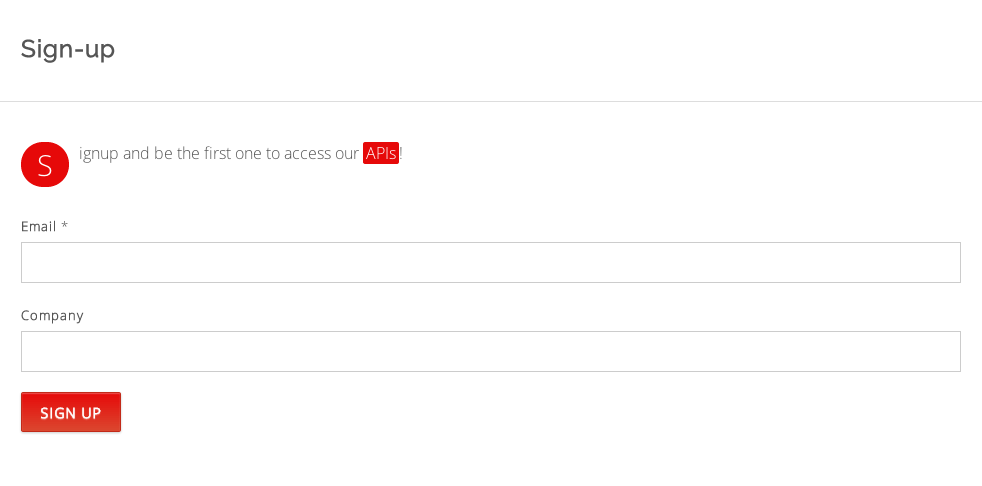
Ekrano nuotraukos

Diegimas
- Install Modal either via the WordPress.org plugin directory, or by uploading the files to your server
- Activate Modal,
- Insert the [modal …] short-code wherever you want the modal page/post to appear.
This is an example use (using the Contact Form plugin CSS classes to style the form):
[modal class="mt-button"
       slug="sign-up"
       content_selector="div.content div.container"
       title_selector="div.page-title h2"
       width="1000"
       height="370"
       load_scripts="no"]

Sign-up now!

[/modal]
Atsiliepimai
Įskiepis neturi atsiliepimų.
Programuotojai ir komandos nariai
“Modal” yra atviro kodo programa. Prie jos sukūrimo prisidėję žmonės surašyti toliau.
Autoriai
Išverskite “Modal” į savo kalbą.
Domina programavimas?
Peržiūrėkite kodą, naršykite SVN repozitorijoje, arba užsiprenumeruokite kodo pakeitimų žurnalą per RSS.
Pakeitimų istorija
1.0.7
- Fix: fix description error in plug-in page.
1.0.6
- Fix: fix typo in plug-in page.
1.0.5
- Other: add screenshots to the plug-in page.
1.0.4
- Feature: add a close button to the modal dialog.
1.0.3
- Fix: remove html escaping from link label.
1.0.2
- Feature: add support for class attribute.
1.0.1
- Fix: remove font style definition which may conflict with the theme styles.
1.0.0
- Initial release