
Aprašymas
Ultra minimal plugin to let your users login to WordPress applications using their GitHub accounts. No more remembering hefty passwords!
Initial Setup
-
Create a project from GitHub Developer Settings if none exists.
-
Go to OAuth tab, then create credential for OAuth client.
- Add
YOUR_WEBSITE_NAMEin Application Name - Add
YOUR_DOMAIN/HOME_URLin Homepage URL - Add
YOUR_DOMAIN/wp-login.phpin Authorized redirect URIs
- Add
-
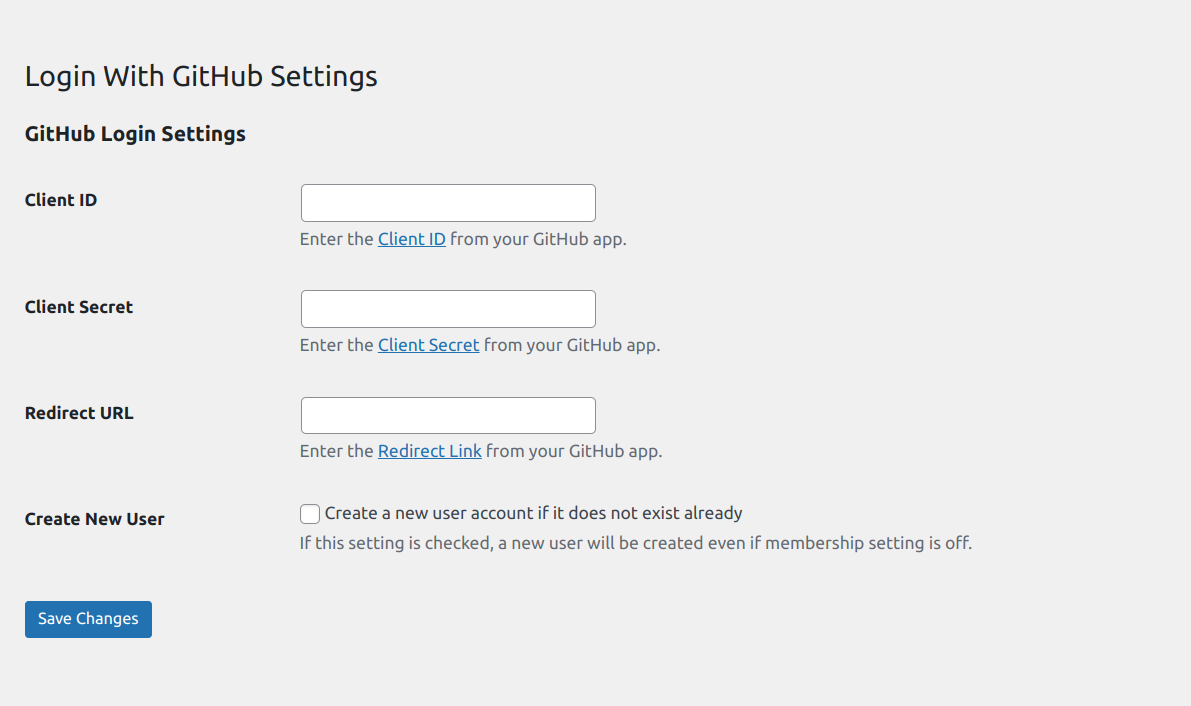
This will give you Client ID and Secret key.
-
Input these values either in
WP Admin > Settings > Login With GitHub
How to enable automatic user registration
You can enable user registration by
– Enabling Settings > Login With GitHub > Enable GitHub Login Registration
Note: If the checkbox is ON then, it will register valid GitHub users even when WordPress default setting, under
Settings > General Settings > Membership > Anyone can register checkbox
is OFF.
Ekrano nuotraukos
Diegimas
- Copy the
login-with-githubfolder into yourwp-content/pluginsfolder. - Activate the Login With GitHub plugin via the plugins admin page.
- Install and activate the plugin.
- Go to Settings Login With GitHub to login or register to user
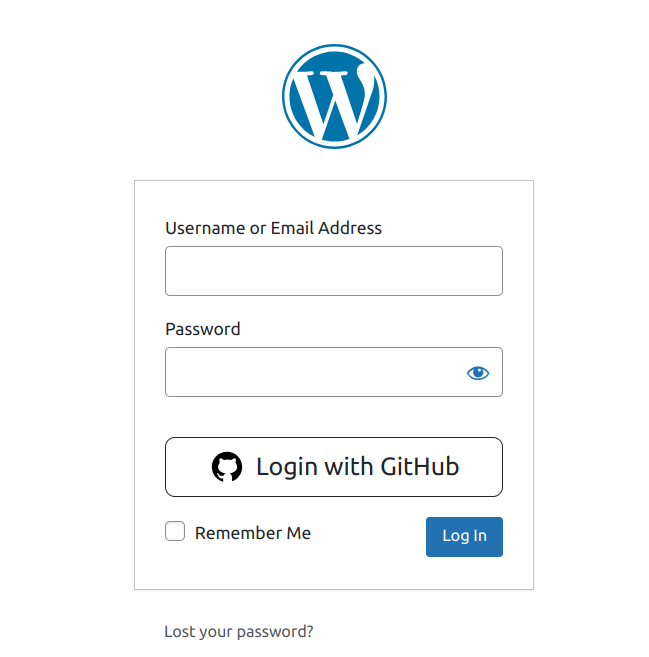
- Add shortcode lwg_auth_button to login or registration file.
Atsiliepimai
Įskiepis neturi atsiliepimų.
Programuotojai ir komandos nariai
“Login with GitHub” yra atviro kodo programa. Prie jos sukūrimo prisidėję žmonės surašyti toliau.
Autoriai
Išverskite “Login with GitHub” į savo kalbą.
Domina programavimas?
Peržiūrėkite kodą, naršykite SVN repozitorijoje, arba užsiprenumeruokite kodo pakeitimų žurnalą per RSS.
Pakeitimų istorija
1.0.3
- Add shortcode to wp-login from.
1.0.2
- Improve performance.
1.0.1
- Sanitize setting fields.
1.0.0
- Initial Release.