
Aprašymas
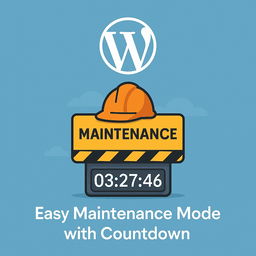
A super‑simple plugin to put the site into maintenance/under‑construction mode with a countdown timer. Configure the maintenance message, logo, and end date/time from the settings page. One‑click toggle, no bloat.
Features:
One‑click maintenance toggle.
Countdown timer with end date/time.
Custom logo and message.
Logged‑in users bypass.
Lightweight, no bloat.
Diegimas
- Download the zip file of the plugin.
- Go to your wordpress site click on > Add New > Click on > Upload Plugin.
- Upload the zip file and activate the plugin
- Settings > Configure your maintenance mode (message, logo, date/time).
DUK
-
Is it free?
-
Yes it’s totally free No hidden charges.
-
Which role will maintenance mode look at?
-
Only new users (regular visitors) will see the maintenance page. Logged-in users will see the normal site.
-
Can I add a custom logo or message?
-
Yes, you can upload/select any message and your image URL from the settings page.
-
What happens after the countdown?
-
When the timer expires, maintenance mode does not auto-off, but the message “Maintenance Complete!” is displayed.
Atsiliepimai
Įskiepis neturi atsiliepimų.
Programuotojai ir komandos nariai
“Easy Maintenance Timer” yra atviro kodo programa. Prie jos sukūrimo prisidėję žmonės surašyti toliau.
Autoriai
Išverskite “Easy Maintenance Timer” į savo kalbą.
Domina programavimas?
Peržiūrėkite kodą, naršykite SVN repozitorijoje, arba užsiprenumeruokite kodo pakeitimų žurnalą per RSS.
Pakeitimų istorija
1.0
- Initial release: Maintenance ON/OFF toggle, custom message, logo, date/time picker, and countdown.