Title: Light Code Block
Author: Pavel
Published: 17 birželio, 2025
Last modified: 27 gruodžio, 2025
---
Ieškoti įskiepiuose

# Light Code Block
Autorius [Pavel](https://profiles.wordpress.org/plance/)
[Parsisiųsti](https://downloads.wordpress.org/plugin/light-code-block.1.0.2.zip)
* [Informacija](https://lt.wordpress.org/plugins/light-code-block/#description)
* [Atsiliepimai](https://lt.wordpress.org/plugins/light-code-block/#reviews)
* [Diegimas](https://lt.wordpress.org/plugins/light-code-block/#installation)
* [Kūrimas](https://lt.wordpress.org/plugins/light-code-block/#developers)
[Pagalba](https://wordpress.org/support/plugin/light-code-block/)
## Aprašymas
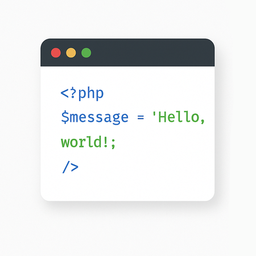
The „Light Code Block” plugin is a simple and lightweight solution for inserting
and displaying code snippets in posts and pages.
It works by adding a custom „LC”
button to the TinyMCE (Classic) editor or a code block in the Gutenberg editor.
The inserted code will be shown on the front end in a clean, readable format.
### Usage
* Install and activate the plugin.
* Go to the post or page edit screen.
* In the TinyMCE (Classic) editor, click the **„LC”** button in the toolbar.
* In the popup window that opens, paste or write your code, and click **OK**.
* Save or update your post.
The code will be saved inside a special block and displayed on the front end within
a `` tag with the class `mce-simple-code-block` (i.e., `...
`).
To insert code using the Gutenberg editor, you first need to add a Classic (TinyMCE)
block, and then use it to insert your code.
## Ekrano nuotraukos
[⌊The "LC" button in the Classic editor toolbar.⌉⌊The "LC" button in the Classic
editor toolbar.⌉[
The „LC” button in the Classic editor toolbar.
[⌊Popup window for inserting/editing code (Classic version).⌉⌊Popup window for inserting/
editing code (Classic version).⌉[
Popup window for inserting/editing code (Classic version).
[⌊Popup window for inserting/editing code (Gutenberg version).⌉⌊Popup window for
inserting/editing code (Gutenberg version).⌉[
Popup window for inserting/editing code (Gutenberg version).
[⌊Example of a rendered code block on the front end.⌉⌊Example of a rendered code
block on the front end.⌉[
Example of a rendered code block on the front end.
## Diegimas
1. Install the „Light Code Block” plugin through the standard WordPress plugin installer.
2. Or unzip and upload the „light-code-block” folder to the `/wp-content/plugins/`
directory.
3. Activate the plugin through the ‘Plugins’ menu in WordPress.
## Atsiliepimai
Įskiepis neturi atsiliepimų.
## Programuotojai ir komandos nariai
“Light Code Block” yra atviro kodo programa. Prie jos sukūrimo prisidėję žmonės
surašyti toliau.
Autoriai
* [ Pavel ](https://profiles.wordpress.org/plance/)
Įskiepis “Light Code Block” išverstas į 1 kalbą. Dėkojame [vertėjams](https://translate.wordpress.org/projects/wp-plugins/light-code-block/contributors)
už jų darbą.
[Išverskite “Light Code Block” į savo kalbą.](https://translate.wordpress.org/projects/wp-plugins/light-code-block)
### Domina programavimas?
[Peržiūrėkite kodą](https://plugins.trac.wordpress.org/browser/light-code-block/),
naršykite [SVN repozitorijoje](https://plugins.svn.wordpress.org/light-code-block/),
arba užsiprenumeruokite [kodo pakeitimų žurnalą](https://plugins.trac.wordpress.org/log/light-code-block/)
per [RSS](https://plugins.trac.wordpress.org/log/light-code-block/?limit=100&mode=stop_on_copy&format=rss).
## Pakeitimų istorija
#### 1.0.2
* Tested up to WordPress 6.9
#### 1.0.1
* For backward compatibility, the class „mce-simple-block-code” has been added.
#### 1.0.0
* Init release.
## Metainformacija
* Version **1.0.2**
* Atnaujinta **prieš 6 mėnesiai**
* Aktyvių instaliacijų **Mažiau nei 10**
* WordPress versija ** 6.0 ar naujesnė **
* Ištestuota iki **6.9.4**
* Kalbos
* [English (US)](https://wordpress.org/plugins/light-code-block/) ir [Russian](https://ru.wordpress.org/plugins/light-code-block/).
* [Išversti į savo kalbą](https://translate.wordpress.org/projects/wp-plugins/light-code-block)
* Žymos
* [code](https://lt.wordpress.org/plugins/tags/code/)[editor](https://lt.wordpress.org/plugins/tags/editor/)
[source](https://lt.wordpress.org/plugins/tags/source/)[sourcecode](https://lt.wordpress.org/plugins/tags/sourcecode/)
[syntax highlighting](https://lt.wordpress.org/plugins/tags/syntax-highlighting/)
* [Daugiau](https://lt.wordpress.org/plugins/light-code-block/advanced/)
## Įvertinimai
No reviews have been submitted yet.
[Your review](https://wordpress.org/support/plugin/light-code-block/reviews/#new-post)
[See all reviews](https://wordpress.org/support/plugin/light-code-block/reviews/)
## Autoriai
* [ Pavel ](https://profiles.wordpress.org/plance/)
## Pagalba
Turite pastabų? Reikia pagalbos?
[Peržiūrėti pagalbos forumą](https://wordpress.org/support/plugin/light-code-block/)