

Aprašymas
Client Testimonial turns client feedback into a proper WordPress content type: write a testimonial once, then show it anywhere with a shortcode, the block editor, an Elementor widget or a classic widget area.
It includes six ready-made templates, five responsive layouts, video testimonials, a front-end review form, a floating average-rating badge, JSON-LD review schema and full control over what appears in every card.
Testimonial content
- Client name, designation, company and company logo.
- Reviewer photo (featured image) with an automatic initials avatar fallback.
- Star rating from 1 to 5.
- Video testimonial from YouTube, Vimeo or a self-hosted MP4/WebM file.
- Reviewer website and LinkedIn / Facebook / X / Instagram links.
- Private reviewer e-mail for your records only; it is never shown publicly.
- Date of experience.
- Optional link to a WooCommerce product.
- Featured flag for spotlight sections.
- Per-testimonial name and designation colours.
- Categories and tags for grouping.
- Manual ordering with the page-attributes field.
Layouts and display
- Slider, carousel, grid, masonry and list layouts.
- Responsive columns for grid and masonry.
- Responsive slides per view for desktop, tablet and mobile.
- Autoplay, transition speed, infinite loop, pause on hover, arrows and pagination dots.
- Configurable gap between slides.
- Excerpt length with a translated „Read more” link.
- Show or hide the rating, avatar, quote icon, company, company logo, social links, website, date and linked product.
- Light, dark and plain card themes.
- Accent, star, quote, card background and text colours; card radius, font size, avatar size and gap.
- Optional per-view custom CSS.
- Section headings with a configurable heading tag.
- Assets load only on pages that contain a testimonial, with an
rtd_needs_assetsfilter for custom template integrations.
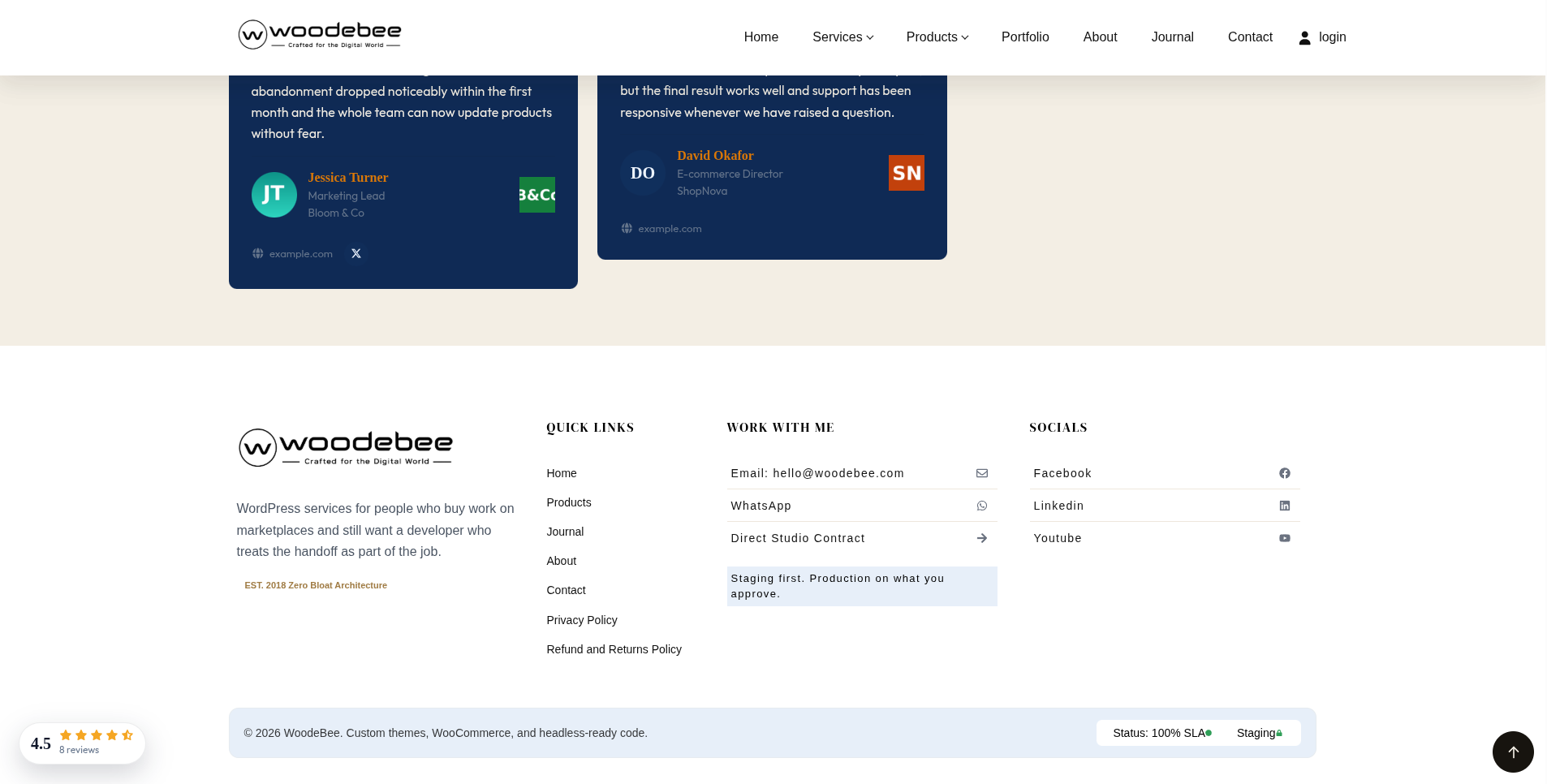
Floating average rating badge
Show the average rating and total review count as a fixed badge on any page.
- Enable or disable it under Testimonials Settings Display.
- Position it in the bottom-left, bottom-right, top-left or top-right corner.
- Set the distance from the bottom/top and left/right edges in pixels.
- Show it on the entire site, the front page only, or all inner pages.
- Choose a light or dark badge style.
- Show or hide the review count.
- Only published testimonials with a rating are counted.
- The same values are available in a normal inline layout with
[rtd_testimonial_average].
Templates
Six templates are created in the database on activation and after updates that add new defaults. Each template stores its own layout, columns, limit, filters, heading, theme and display toggles, so you can reuse a complete design with one shortcode.
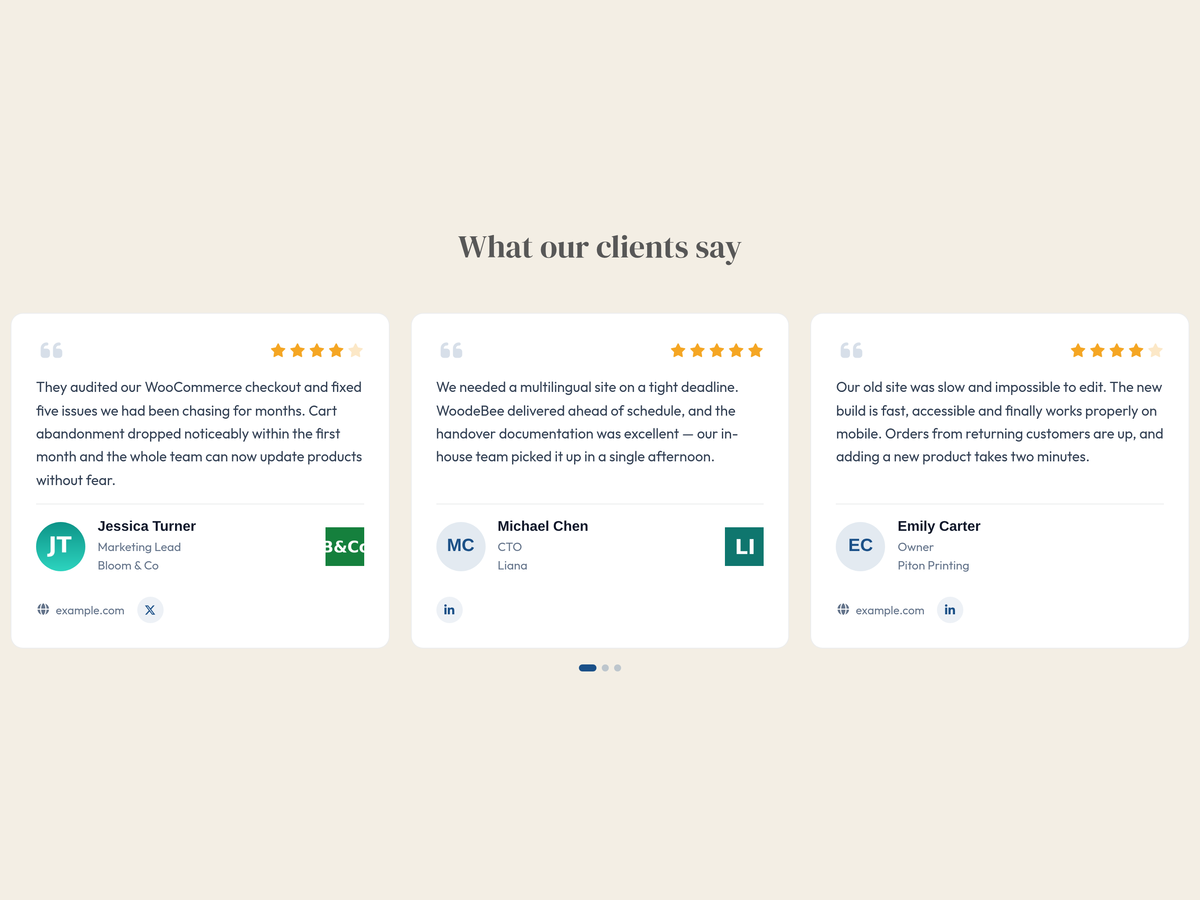
- Homepage Slider — three-up carousel, six testimonials, video testimonials excluded, light theme, heading „What our clients say”, autoplay, arrows, dots, 3/2/1 slides across desktop/tablet/mobile.
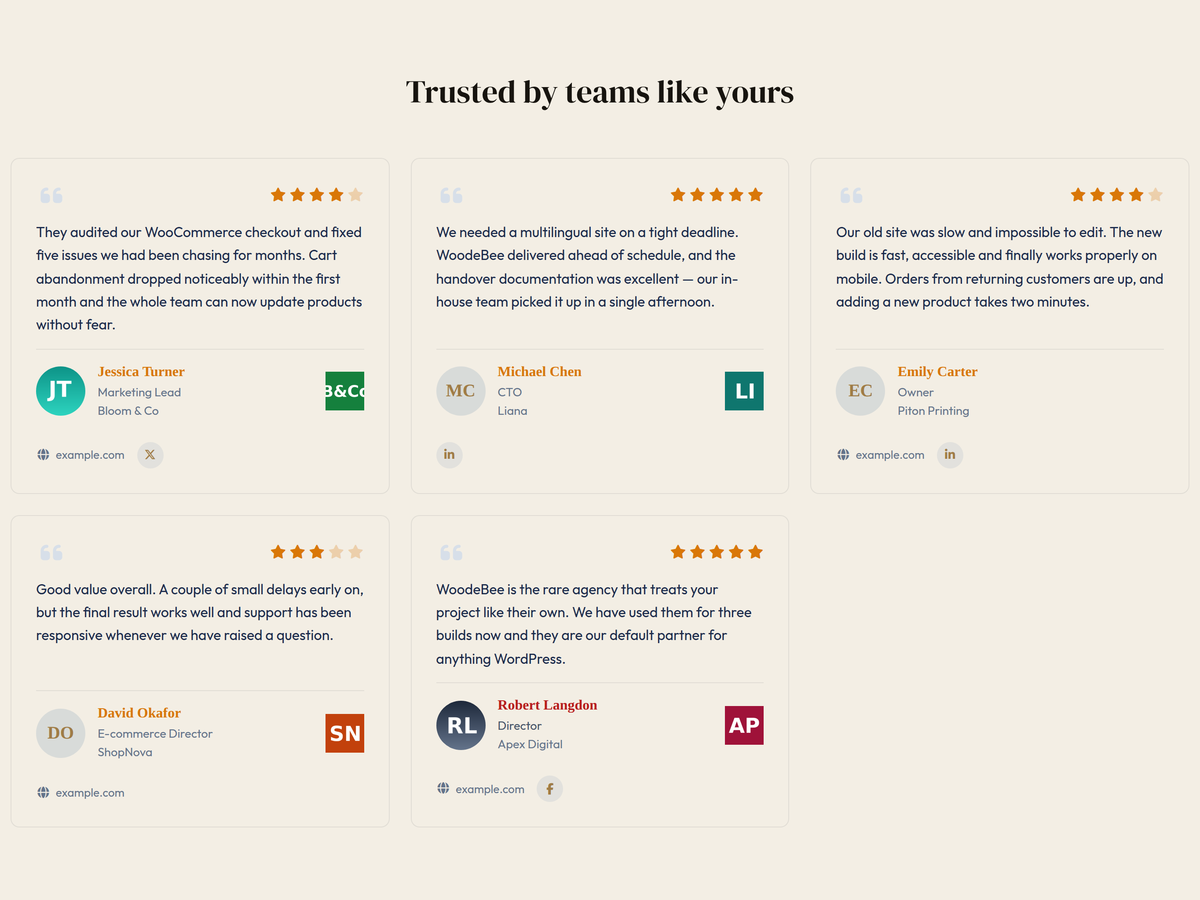
- Trust Grid — three-column grid, six testimonials, video testimonials excluded, light theme, heading „Trusted by teams like yours”, ratings and company logos.
- Video Stories — dark three-up carousel, six testimonials, video testimonials only, heading „Hear it from our clients”, autoplay, arrows, dots, 3/2/1 slides.
- Compact List — stacked list, four testimonials, 30-word excerpts with a „Read more” link, quote icon hidden, light theme, heading „Recent feedback”.
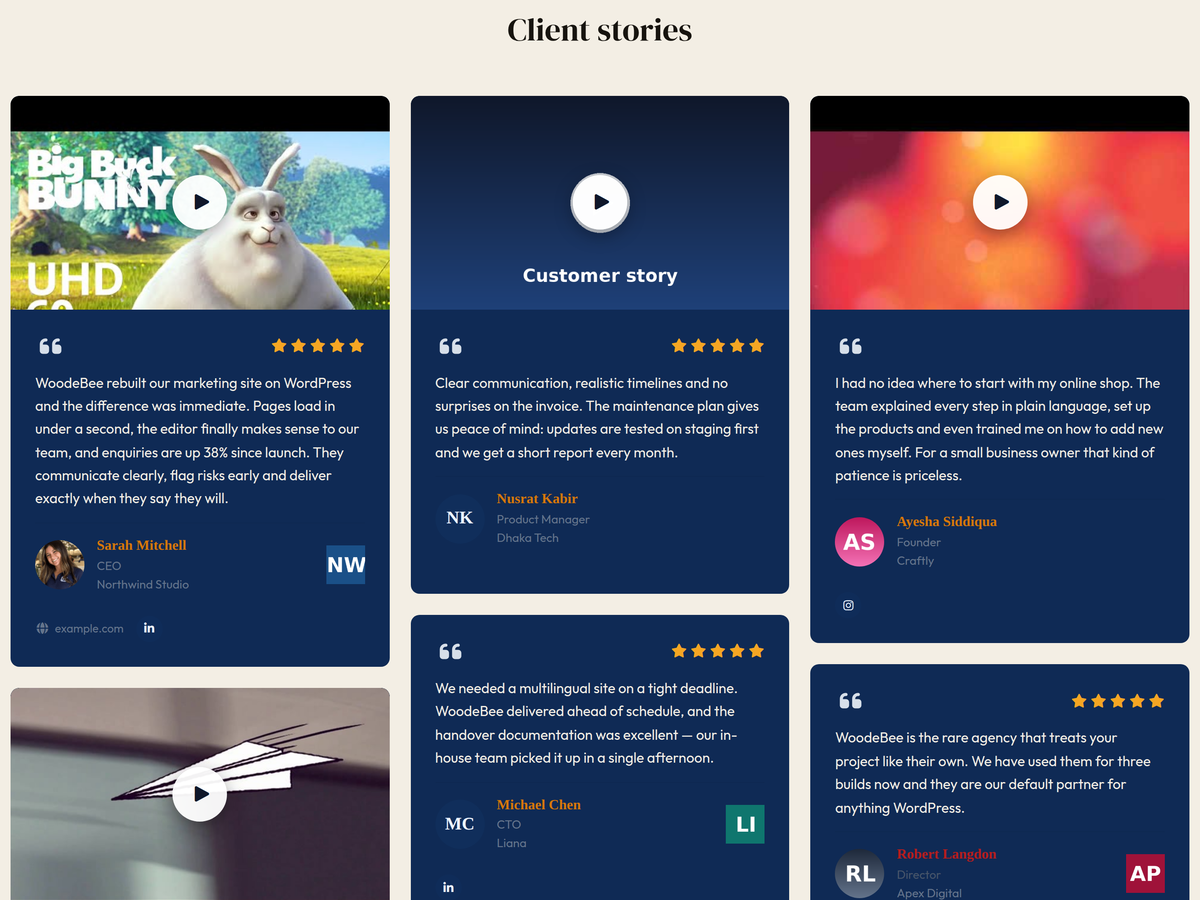
- Masonry Wall — three-column masonry, nine testimonials, plain card style, heading „Client stories”.
- Featured Spotlight — two-up carousel, four featured testimonials rated four stars or more, light theme, heading „Our favourite reviews”.
Manage templates under Testimonials Templates:
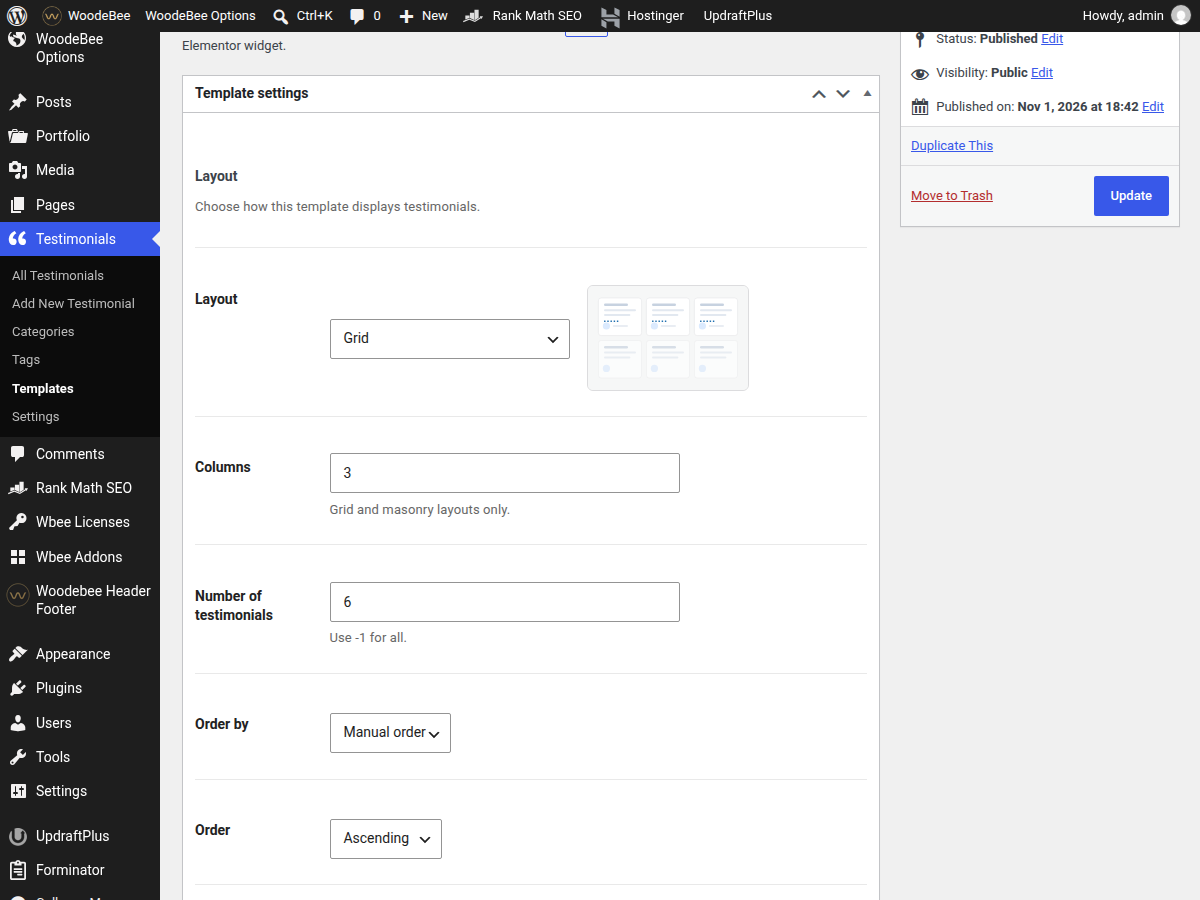
- Preview the layout with the built-in thumbnail.
- Edit every setting without writing code.
- Duplicate a template to create a variation.
- Copy its shortcode with one click.
- Use the template in the Gutenberg block or either Elementor widget.
- Updates only add templates the site has never received; edited and deleted templates are never overwritten.
Front-end review form
Collect new testimonials without giving visitors access to the WordPress admin.
- Shortcode:
[rtd_testimonial_form]. - Fields: name, e-mail (private), designation, company, website, star rating, testimonial, video URL, photo, category and consent.
- AJAX submission with inline success and error messages.
- Photo upload accepts JPG, PNG or WebP up to 3 MB.
- Submissions are saved as Pending for your approval.
- The site admin receives an e-mail notification for each submission.
- Spam protection: honeypot field, minimum completion time and a per-IP rate limit.
- Privacy policy link when one is configured.
- Optional attributes:
heading,button,category,show_company,show_video,show_photoandclass.
Gutenberg block and Elementor widgets
- Gutenberg block: Testimonials.
- Elementor widgets: Testimonials (Wbee) and Video Testimonials (Wbee), both in the RTD Testimonials widget category.
- A template dropdown lets you reuse any saved template.
- „Custom settings” gives you direct layout, limit, category, ordering, heading and display controls.
- The Elementor Style tab includes accent, star, card background, text and name colours, card radius and typography.
- The Elementor card background control applies directly to the card, so it works with light, dark and plain templates.
- The block editor preview uses the same front-end styles as the published page.
Structured data and SEO
When Output Review schema is enabled, each rendered view adds JSON-LD Review and AggregateRating markup. Set the reviewed organisation name and URL under Testimonials Settings Advanced. The schema includes the reviewer name, review body, rating, date and the average rating across the rendered testimonials.
Security and privacy
- Shortcode attributes and settings are sanitised and validated.
- All front-end output is escaped.
- Settings changes use the WordPress Settings API and capability checks.
- The front-end form uses a nonce, honeypot, minimum completion time and a per-IP rate limit.
- Uploads are limited by MIME type and file size.
- Reviewer e-mail addresses are stored privately and never rendered on the front end.
- Rate limiting uses a salted IP hash instead of storing the raw IP address.
- Uninstalling keeps your testimonials and settings unless you enable Delete all data on uninstall.
Performance
- Front-end CSS and JavaScript are only enqueued on pages that contain a testimonial, the block or an Elementor testimonial widget.
- Swiper is loaded only for slider and carousel layouts.
- No jQuery dependency on the front end.
- Template queries use
WP_Query; admin queries use WordPress APIs and prepared SQL where needed. - Images are lazy-loaded and use the WordPress attachment sizes.
Compatibility
- WordPress 6.3 or newer.
- PHP 7.0 or newer.
- Works with classic themes, block themes and Elementor.
- WooCommerce is optional; when active, a testimonial can link to a published product.
- The
testimonialpost type, taxonomy and meta keys are unchanged from earlier versions.
Backward compatibility
The primary shortcodes are [rtd_testimonial], [rtd_testimonial_average], [rtd_testimonial_count] and [rtd_testimonial_form]. The woodebee_* names also work as aliases. Existing meta keys and the testimonial post type are unchanged, so upgrading does not require a data migration.
Where you can use it
- Shortcode:
[rtd_testimonial]. - Template:
[rtd_testimonial template="trust-grid"]. - Inline average rating:
[rtd_testimonial_average]. - Review count:
[rtd_testimonial_count]. - Submission form:
[rtd_testimonial_form]. - Gutenberg block: Testimonials.
- Elementor widgets: Testimonials (Wbee) and Video Testimonials (Wbee).
- Any classic widget area via the shortcode or block.
- A PHP template:
<?php echo do_shortcode( '[rtd_testimonial]' ); ?>.
Shortcode examples
[rtd_testimonial] uses the saved settings.

[rtd_testimonial template="trust-grid"] uses a saved template.

[rtd_testimonial layout="grid" columns="3" limit="6"] shows a three-column grid of six testimonials.

[rtd_testimonial layout="carousel" slides="3" category="clients" orderby="rand"] shows a three-up carousel of random testimonials from the "clients" category.

[rtd_testimonial rating_min="4" featured="only"] shows only featured testimonials rated four stars or more.

[rtd_testimonial video="only"] shows only testimonials that have a video.

[rtd_testimonial_form] shows the front-end review submission form.

[rtd_testimonial_form heading="Share your experience" category="clients"] shows the form with a custom heading and a preselected category.
All shortcode attributes
template, `template_id`, `layout`, `columns`, `limit`, `orderby`, `order`, `category`, `tag`, `ids`, `rating_min`, `featured`, `video`, `heading`, `heading_tag`, `excerpt`, `theme`, `show_rating`, `show_avatar`, `show_quote`, `show_company`, `show_logo`, `show_socials`, `show_website`, `show_date`, `show_product`, `autoplay`, `delay`, `speed`, `loop`, `pause`, `arrows`, `dots`, `slides`, `slides_tablet`, `slides_mobile`, `gap`, `schema` and `class`.
Explicit shortcode attributes always win over the template, so [rtd_testimonial template="trust-grid" limit="3"] shows three testimonials using the rest of the Trust Grid settings.
Credits
- Font Awesome Free 7.2.0 by Fonticons, Inc. — https://fontawesome.com/ — icons CC BY 4.0, fonts SIL OFL 1.1, code MIT. Bundled at
assets/vendor/fontawesome/. - Swiper 11.2.10 by Vladimir Kharlampidi — https://swiperjs.com/ — MIT. Bundled at
assets/vendor/swiper/.
Ekrano nuotraukos





Blokai
Šis įskiepis suteikia 1 bloką.
- Testimonials
Diegimas
Install from the WordPress dashboard
- Go to Plugins Add New.
- Search for “Client Testimonial – Reviews & Ratings”.
- Click Install Now, then Activate.
Alternatively, upload the plugin ZIP file
- Download the plugin ZIP file.
- Go to Plugins Add New Upload Plugin.
- Select the ZIP file and click Install Now.
- Once installed, click Activate.
Set up and display testimonials
- Go to Testimonials Add New and enter the client’s details and testimonial.
- Open Testimonials Settings to configure the heading, display order, colors, floating badge, and other display options.
- To use a built-in template, go to Testimonials Templates and select your preferred layout.
- Display testimonials using the
[rtd_testimonial]shortcode, a template shortcode, the block, or an Elementor widget. - To collect new reviews, add
[rtd_testimonial_form]to a page. Submitted reviews are saved with Pending status for approval.
DUK
-
Does it work with my theme?
-
Yes. The plugin ships scoped CSS under
.rtd, so it inherits your theme’s typography where possible and does not restyle the rest of the site. Theme and Elementor button styles are neutralised for the video poster and slider arrows, and section headings follow the surrounding page colour. -
Can I show more than one testimonial at a time?
-
Yes. Use
layout="carousel"withslides="2"orslides="3", or use the grid or masonry layouts withcolumns. Tablet and mobile slide counts are configurable separately. -
How do I add a video testimonial?
-
Edit the testimonial, open Video testimonial, paste a YouTube or Vimeo URL, or use a media library MP4/WebM URL. Optionally add a poster image. The card shows a cover image with a play button; clicking it plays the video inline in the card, with no popup or lightbox. Use the Video Testimonials (Wbee) Elementor widget or
[rtd_testimonial video="only"]to show only video testimonials. -
How do I edit a default template?
-
Open Testimonials Templates, click the template, change any setting and update it. Its shortcode keeps working and picks up the changes immediately. You can also duplicate a template to create a variation.
-
What happens to my templates when the plugin updates?
-
Templates are stored in the database. An update only creates defaults the site has never received; edited and deleted templates are left untouched. The current default settings match the Testimonials Demo page that ships with the plugin’s development setup.
-
Does it output structured data?
-
Yes. When Output Review schema is enabled, each rendered view adds JSON-LD
ReviewandAggregateRatingmarkup. Set the reviewed organisation name and URL under Testimonials Settings Advanced. -
Can I show the average rating as a floating badge?
-
Yes. Open Testimonials Settings Display, enable Show floating average rating, choose a corner, set the pixel offsets and choose which pages should show it. You can also place the average inline with
[rtd_testimonial_average]. -
Can I collect reviews from the front end?
-
Yes. Add
[rtd_testimonial_form]to a page. Visitors can submit a name, e-mail, designation, company, website, rating, testimonial, video URL, photo, category and consent. New submissions are saved as Pending and the site admin receives an e-mail notification. -
Does it work with Gutenberg and Elementor?
-
Yes. Use the Testimonials block or the Testimonials (Wbee) / Video Testimonials (Wbee) Elementor widgets. Both provide a template dropdown and custom settings, and the Elementor Style tab controls the card colours, radius and typography.
-
Can I add my own CSS?
-
Yes. Add it under Testimonials Settings Advanced Custom CSS. The CSS is loaded after the plugin styles. Do not include
<style>tags. -
Will uninstalling delete my testimonials?
-
Only if you enable Delete all data on uninstall under Testimonials Settings Advanced. Otherwise testimonials, settings, templates and taxonomy terms are retained.
-
Is it translation ready?
-
Yes. All plugin strings use the
rtd-client-testimonialtext domain. The translation template is included atlanguages/rtd-client-testimonial.pot. WordPress.org language packs install compiled.mofiles inwp-content/languages/plugins/. -
Does it load assets on every page?
-
No. Front-end assets are loaded only when a testimonial shortcode, block or Elementor widget is detected. If you render a testimonial from a custom PHP template, use the
rtd_needs_assetsfilter to force the assets on that page.
Atsiliepimai


Programuotojai ir komandos nariai
“Client Testimonial – Reviews & Ratings” yra atviro kodo programa. Prie jos sukūrimo prisidėję žmonės surašyti toliau.
Autoriai
Išverskite “Client Testimonial – Reviews & Ratings” į savo kalbą.
Domina programavimas?
Peržiūrėkite kodą, naršykite SVN repozitorijoje, arba užsiprenumeruokite kodo pakeitimų žurnalą per RSS.
Pakeitimų istorija
2.0.0
- New: six default templates created in the database on activation and on updates that add new ones.
- New: Testimonials Templates screen with layout preview, editable display settings, duplicate action and one-click shortcode copy.
- New:
templateandtemplate_idshortcode attributes. - New:
video="only|exclude"filter for video testimonials. - New: „Video Testimonials (Wbee)” Elementor widget and the „RTD Testimonials” widget category.
- New: Template dropdown in the Gutenberg block and Elementor widgets.
- New: Elementor Style tab with accent, star, card, text and name colours, radius and typography controls.
- New: front-end testimonial submission form with
[rtd_testimonial_form]. - New: AJAX submission, inline success/error messages, photo upload, star rating, category, video URL and consent checkbox.
- New: submissions are saved as Pending and the site admin receives an e-mail notification.
- New: spam protection with a honeypot, minimum completion time and a per-IP rate limit.
- New: layout preview thumbnails, a live preview in Settings General and a live layout preview next to the Layout select in the template editor.
- New: floating average-rating badge that can be shown on any page or the entire site.
- New: choose bottom-left, bottom-right, top-left or top-right badge position, with pixel offsets from the bottom/top and left/right edges.
- New: light or dark badge style, optional review count, and page targeting (entire site, front page only, or all inner pages).
- Changed: reset the plugin version to 2.0.0 for the native meta box release.
- Changed: replaced the bundled CMB2 library with native WordPress meta boxes, reducing the plugin package by about 3.6 MB.
- Changed: renamed the text domain from
rtdtortd-client-testimonialto match the WordPress.org plugin slug. - Changed: renamed the translation template to
languages/rtd-client-testimonial.pot. - Changed: removed the deprecated
load_plugin_textdomain()call; WordPress.org loads plugin translations automatically. - Changed: moved Font Awesome assets to
assets/vendor/fontawesome/and documented the Font Awesome and Swiper credits in the readme. - Changed: video testimonials now play inline inside the card instead of opening a popup/lightbox. The player keeps a responsive 16:9 ratio in the shortcode, Gutenberg block, Elementor widget and every page builder that uses the shortcode.
- Changed: video testimonial cards no longer display an outer border.
- Changed: manual ordering now defaults to ascending, so testimonials appear in the order set in the admin.
- Changed: all six default templates now match the Testimonials Demo page settings.
- Changed: the Homepage Slider default template now uses a three-up carousel, six testimonials and excludes video testimonials.
- Changed: Trust Grid now excludes video testimonials by default, and Video Stories uses a three-up carousel with six testimonials.
- Changed: removed Default layout and Read more label from Testimonials Settings. Layouts are chosen per template and the read-more text is now translated in the plugin.
- Improved: the testimonial editor is grouped into General, Links & Social, Review, Video, Product and Style.
- Improved: admin assets load on template screens; shortcode copy buttons work in the list and above the editor.
- Improved: the template editor hides Columns unless the layout is Grid or Masonry and the Slider & Carousel options unless the layout is Slider or Carousel.
- Improved: the plugin settings screen hides Default columns unless the default layout is Grid or Masonry.
- Improved: the template shortcode always reflects the saved settings because it references the template by slug.
- Improved: server-side length limits for front-end submission fields and URL fields.
- Improved: category shortcode attributes are sanitised before tax queries.
- Improved: the front-end form is responsive and inherits the plugin colours and typography.
- Improved: localised the front-end form messages, video player title and admin copy feedback.
- Improved: added script translations for the Gutenberg block.
- Improved: regenerated
languages/rtd-client-testimonial.potfrom the plugin files only. - Improved: the „Paragraph” heading option is now translatable.
- Improved: the front-end script no longer creates a modal element or manipulates body scroll.
- Improved: documented the intentional
rtd_prefix for PHPCS, so Plugin Check no longer reports prefix warnings for the plugin’s own files. - Improved: admin script is only loaded on the plugin settings screen.
1.0.0
- Initial release.