

Aprašymas
NSOL Form Builder is a powerful, free WordPress form builder plugin that lets you create professional forms with an intuitive drag-and-drop interface. Build contact forms, surveys, registration forms, booking forms, and more with ease.
Key Features
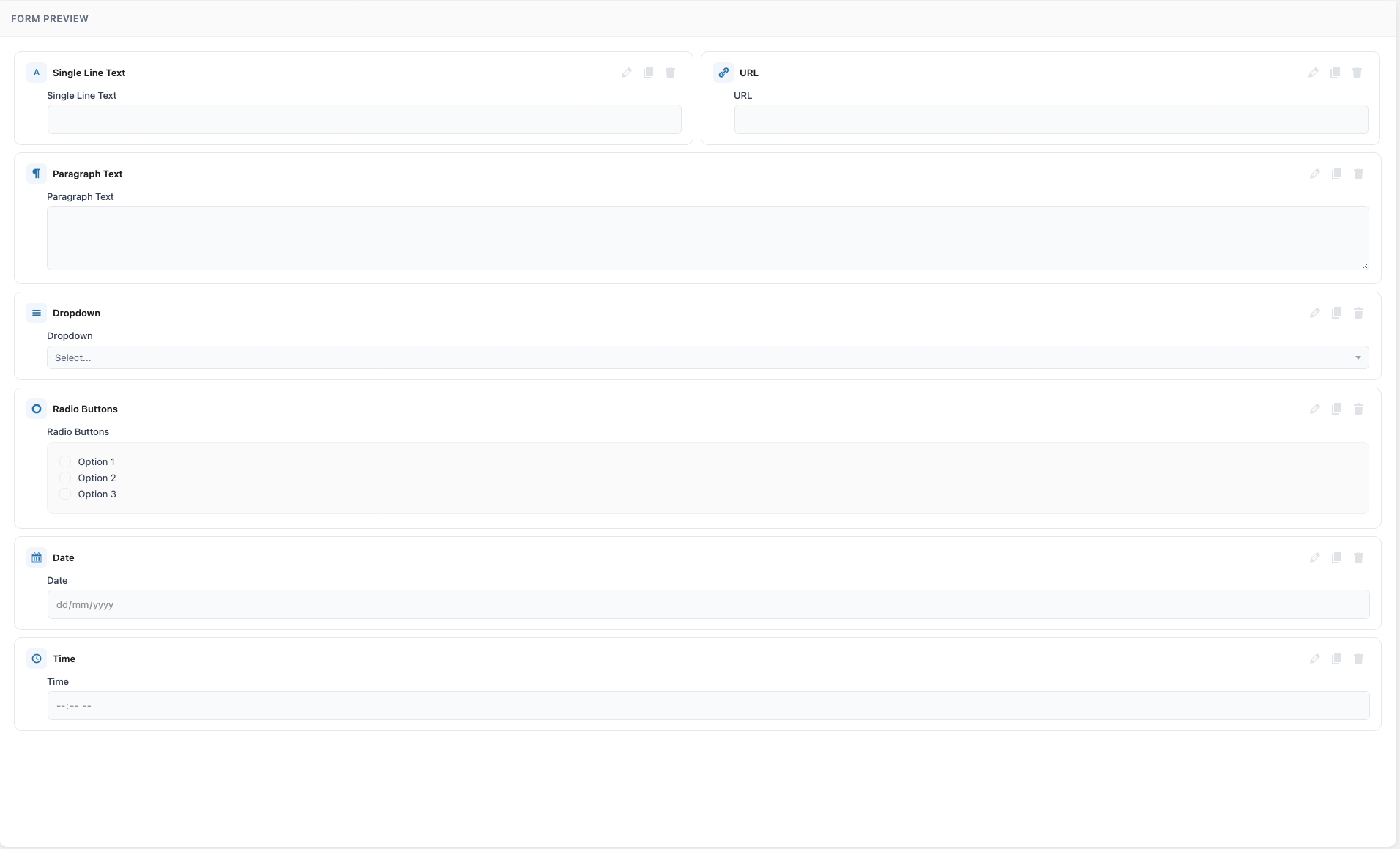
- Drag & Drop Builder – Intuitive visual form builder with live preview. Add, reorder, duplicate, and configure fields easily.
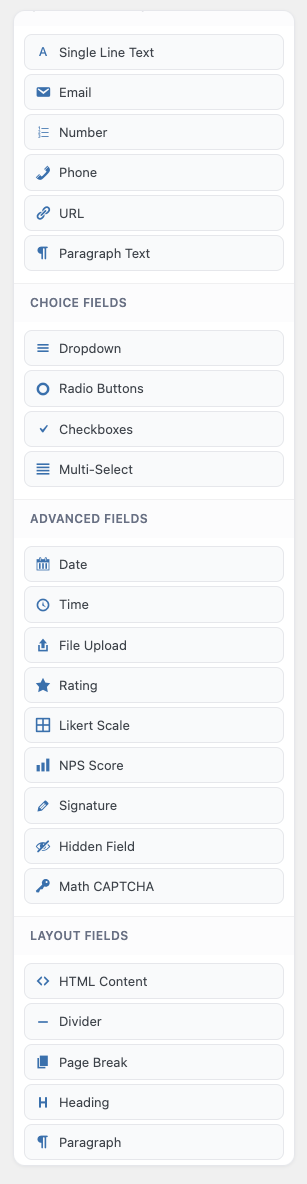
- 20+ Field Types – Text, Email, Number, Phone, URL, Textarea, Dropdown, Radio, Checkbox, Multi-Select, Date, Time, File Upload, Rating, Heading, Paragraph, HTML, Divider, Hidden, Math CAPTCHA, and Page Break.
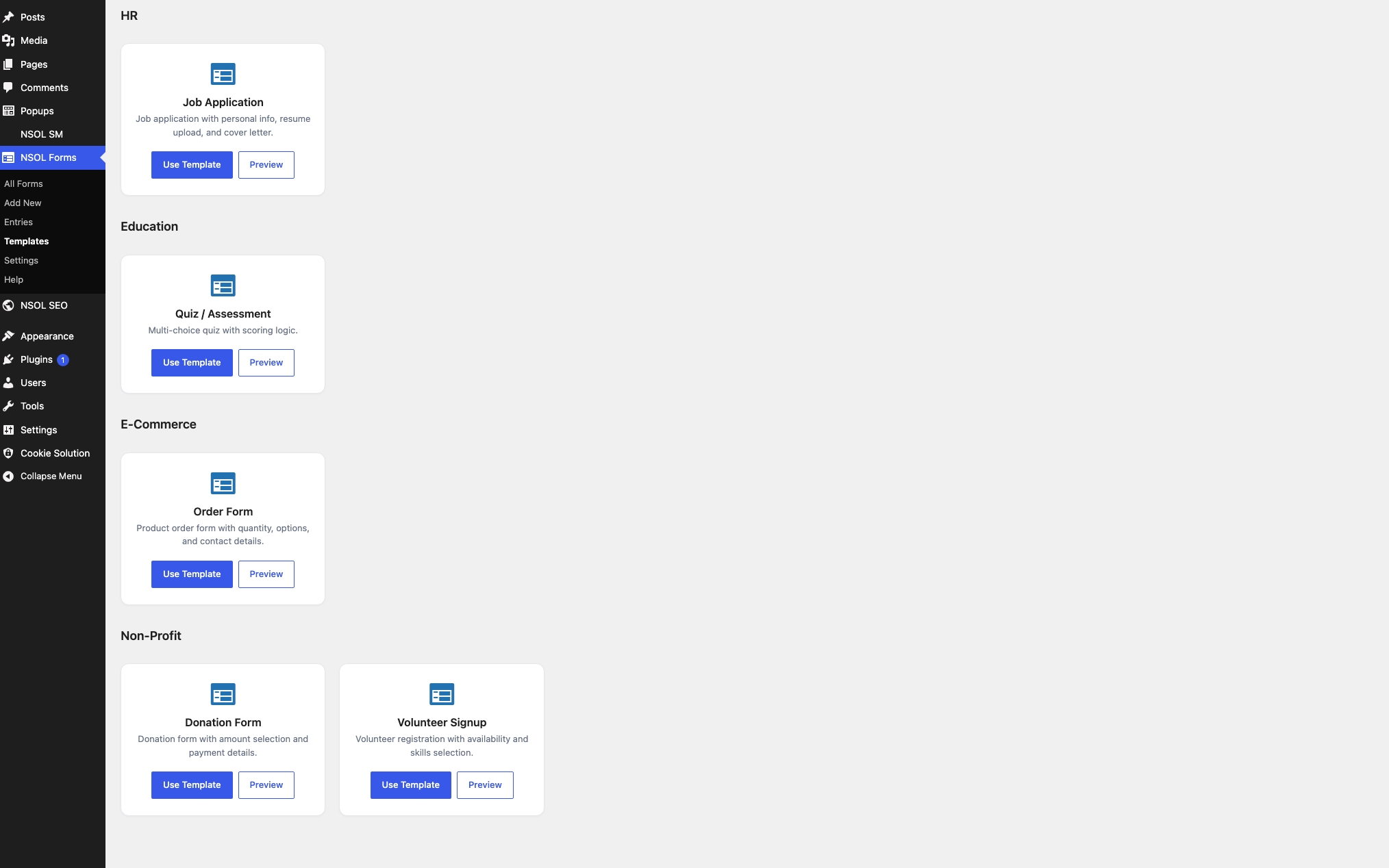
- 15+ Pre-built Templates – Contact Form, Newsletter, Registration, Booking, Survey, Quote Request, Job Application, Event RSVP, Feedback, Donation, Support Ticket, Order Form, Quiz, Volunteer Signup, and Waitlist.
- Conditional Logic – Show or hide fields based on user input to create dynamic forms.
- Multi-Step Forms – Create multi-page forms with progress bar and navigation buttons.
- Gutenberg Block – Native block support with live preview inside the Block Editor.
- Elementor Widget – Dedicated Elementor widget for seamless page building.
- Shortcode Support – Simple shortcode
[nsol_form id="123"]for any page or post. - Form Entries Management – Store all submissions in the database with search, filter, and bulk actions.
- CSV & JSON Export – Export form entries for analysis or record-keeping.
- Email Notifications – Admin notifications and user auto-responder emails with smart tags support.
- Spam Protection – Honeypot anti-spam and Math CAPTCHA fields built in.
- Form Scheduling – Set start and end dates for your forms.
- Entry Limits – Restrict the total number of submissions.
- Login Required – Restrict forms to logged-in users only.
- Form Import/Export – Export and import entire form configurations as JSON.
- Responsive Design – Mobile-friendly, modern form layouts.
- Developer Friendly – Hooks and filters for extension, clean code following WordPress standards.
- Translation Ready – Full internationalization support with POT file included.
Display Forms Anywhere
- Shortcode:
[nsol_form id="123"] - Gutenberg Block: Search for „NSOL Form” in the Block Editor.
- Elementor Widget: Search for „NSOL Form” in Elementor widgets.
- PHP Code:
<?php echo do_shortcode('[nsol_form id="123"]'); ?>
Smart Tags
Smart tags dynamically populate content in email notifications and subjects:
{form_title}– The form title{form_id}– The form ID{entry_id}– The submission entry ID{all_fields}– All form fields in an HTML table{site_name}– Your site name{site_url}– Your site URL{admin_email}– WordPress admin email{date}– Current date{time}– Current time{field_id}– Value of any specific field
Available Hooks
nsol_form_submission_success– Fires after a form is submitted successfully.nsol_form_before_render– Fires before a form is rendered.nsol_form_field_html– Filter the HTML output of a rendered field.nsol_form_email_headers– Filter email notification headers.
Ekrano nuotraukos
Blokai
Šis įskiepis suteikia 1 bloką.
- Nsol Form Block
Diegimas
- Upload the
nsol-form-builderfolder to the/wp-content/plugins/directory. - Activate the plugin through the ‘Plugins’ menu in WordPress.
- Go to the NSOL Forms menu in your WordPress admin.
- Click Add New to create your first form.
- Drag fields from the left panel into the form preview area.
- Save your form and copy the shortcode to display it on your site.
DUK
-
Can I use reCAPTCHA?
-
Yes, go to NSOL Forms > Settings and enter your reCAPTCHA site and secret keys. Then enable reCAPTCHA in each form’s settings.
-
How do I limit the number of entries?
-
Open your form in the builder, click Form Settings, go to the Restrictions tab, and set the entry limit.
-
How do I schedule a form?
-
In the Form Settings > Restrictions tab, set a start and end date/time for your form.
-
How do I export entries?
-
Go to NSOL Forms > Entries, select a form, and click the Export CSV or Export JSON button.
-
Can I use this with WooCommerce?
-
Yes, you can add forms to product pages using shortcodes, and use the contact/order form templates for lead generation.
-
Does it work with page builders?
-
Yes, NSOL Form Builder works with Elementor, Gutenberg, Classic Editor, and any page builder that supports shortcodes.
-
Is the plugin translation-ready?
-
Yes, the plugin is fully internationalized and includes a POT file for translation.
Atsiliepimai
Įskiepis neturi atsiliepimų.
Programuotojai ir komandos nariai
“NSOL Form Builder” yra atviro kodo programa. Prie jos sukūrimo prisidėję žmonės surašyti toliau.
Autoriai
Išverskite “NSOL Form Builder” į savo kalbą.
Domina programavimas?
Peržiūrėkite kodą, naršykite SVN repozitorijoje, arba užsiprenumeruokite kodo pakeitimų žurnalą per RSS.
Pakeitimų istorija
1.0.0
- Initial release.
- Drag & drop form builder with 20+ field types.
- 15+ pre-built form templates with one-click import.
- Conditional logic for dynamic forms.
- Multi-step forms with progress bar.
- Gutenberg block and Elementor widget.
- Form entries storage and management.
- CSV and JSON export.
- Email notifications with smart tags.
- Honeypot and Math CAPTCHA spam protection.
- Form scheduling and entry limits.
- Form import and export.
- Responsive, mobile-friendly design.
- WordPress coding standards compliant.
- Full internationalization.