

Aprašymas
Looking for a simpler way to publish from Google Docs to WordPress?
Tenwrite is a publishing tool for people and teams who prefer writing in Google Docs but want a faster way to publish to WordPress. Instead of copying content by hand, fixing formatting, re-uploading images, and re-entering metadata in the WordPress editor, Tenwrite helps you send finished Google Docs into WordPress through a cleaner publishing workflow.
Depending on your workflow, Tenwrite can help with:
- manual exports from Google Docs
- updating an already linked WordPress post instead of creating duplicates
- document metadata and frontmatter support
- image handling and publishing cleanup
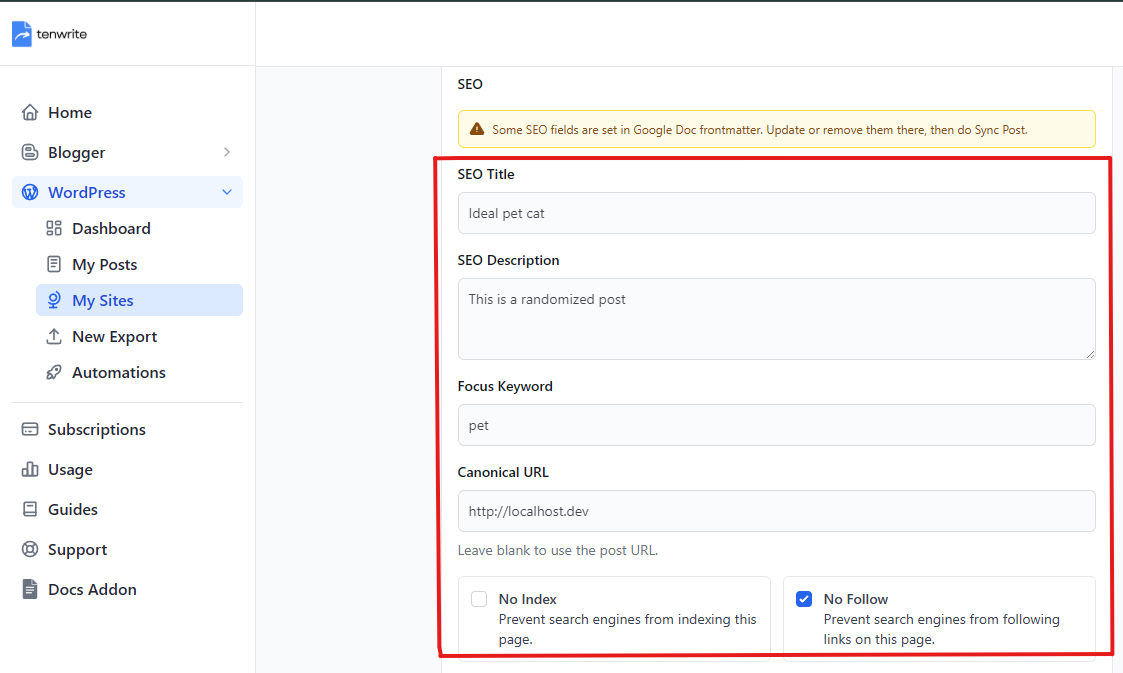
- supported SEO field syncing during export and later updates
This plugin is the WordPress side of that workflow. It connects your site to Tenwrite, stores the supported SEO payload on WordPress posts and pages, and syncs that data into supported SEO plugins when they are active.
What this plugin does
After you connect your site to Tenwrite, this plugin helps you:
- publish Google Docs content into WordPress through the Tenwrite workflow
- keep linked posts updated instead of creating duplicates
- store Tenwrite SEO data on WordPress posts and pages
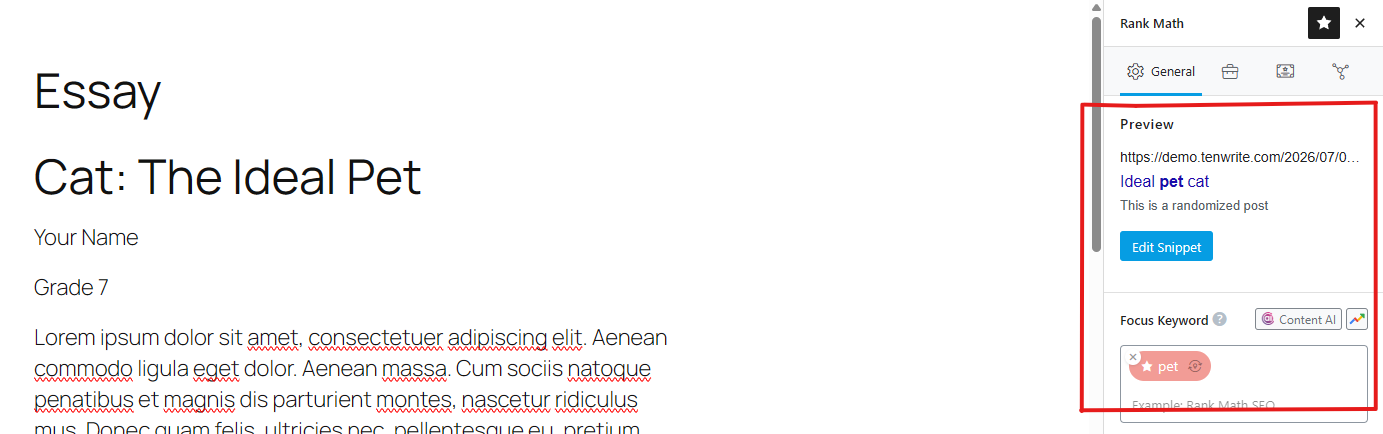
- sync supported SEO fields into Yoast SEO and Rank Math
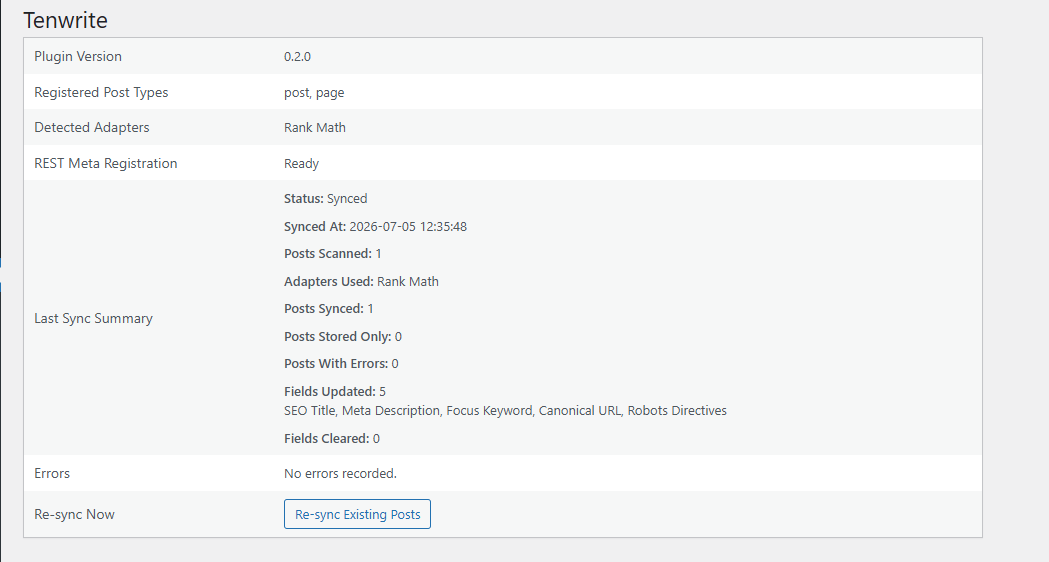
- check plugin status from a simple diagnostics screen in WordPress admin
Why site owners use it
Publishing from Google Docs to WordPress usually means extra manual work:
- cleaning up formatting after paste
- re-uploading or re-checking images
- re-entering SEO fields in WordPress
- updating an existing post by hand later
Tenwrite reduces that handoff work by keeping Google Docs as the writing surface and WordPress as the publishing destination.
Supported SEO plugin compatibility
This plugin currently syncs supported SEO fields with:
- Yoast SEO
- Rank Math
If neither plugin is active, the Tenwrite SEO data is still stored on the post so it is available for later sync.
Supported SEO fields
The current release supports:
- SEO title
- Meta description
- Focus keyword
- Canonical URL
- Noindex
- Nofollow
These values can be provided from:
- Tenwrite export and edit flows
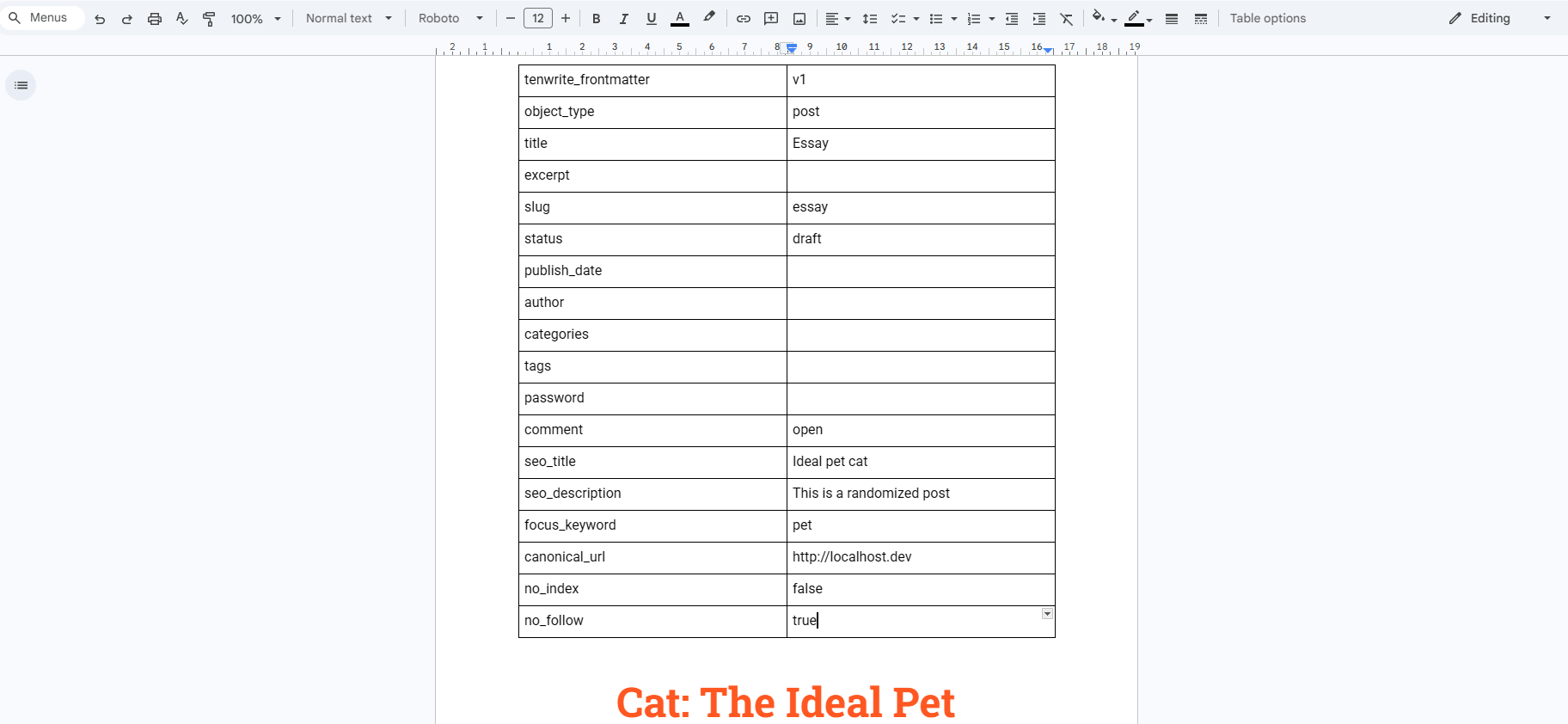
- Google Docs frontmatter in supported Tenwrite flows
Best for
- bloggers who write in Google Docs and publish to WordPress
- content teams using Google Docs for reviews and approvals
- agencies managing repeat Google Docs to WordPress publishing workflows
- teams that want SEO fields to travel with the publishing workflow
Service requirement
This plugin works with the Tenwrite service and is meant for supported self-hosted WordPress sites.
Terms of Service: https://tenwrite.com/terms-of-service
Privacy Policy: https://tenwrite.com/privacy-policy
Customer reviews
Ekrano nuotraukos

Diegimas
- Log in to your WordPress admin area.
- Go to Plugins > Add New Plugin.
- Search for Tenwrite.
- Install and activate Tenwrite: Publish Google Docs to Any Site.
- Go to Tools > Tenwrite and confirm the diagnostics page loads.
- Connect your WordPress site inside Tenwrite.
- Start exporting posts from Google Docs through Tenwrite.
If you want SEO plugin syncing, also install and activate Yoast SEO and/or Rank Math.
DUK
-
Does this plugin publish Google Docs directly from WordPress?
-
No. The publishing workflow runs through Tenwrite. This plugin is the WordPress connector used by that workflow.
-
Do I need a Tenwrite account?
-
Yes. This plugin works with the Tenwrite service.
-
Does this plugin support WordPress.com?
-
No. This version is for supported self-hosted WordPress sites.
-
Which WordPress content types are supported?
-
Posts and pages.
-
Which SEO plugins are supported?
-
Yoast SEO and Rank Math.
-
What happens if I do not use Yoast SEO or Rank Math?
-
The plugin still stores the Tenwrite SEO data on the post, but it does not mirror vendor-specific fields when no supported SEO plugin is active.
-
Can I set SEO fields from Google Docs?
-
Yes. Supported SEO fields can come from Google Docs frontmatter in supported Tenwrite workflows.
-
What happens when a field is already set in Google Docs frontmatter?
-
That field is treated as controlled by frontmatter during export and sync. To change it, update the Google Doc and then sync the post again from Tenwrite.
-
Can I edit SEO fields inside this plugin in WordPress admin?
-
No. This plugin provides the connection layer and diagnostics screen. SEO values are managed through Tenwrite and supported Google Docs frontmatter flows.
-
Where can I learn more about Tenwrite?
-
Visit https://tenwrite.com/ for product details, pricing, and documentation.
Atsiliepimai
Įskiepis neturi atsiliepimų.
Programuotojai ir komandos nariai
“Tenwrite: Publish Google Docs to Any Site” yra atviro kodo programa. Prie jos sukūrimo prisidėję žmonės surašyti toliau.
Autoriai
Išverskite “Tenwrite: Publish Google Docs to Any Site” į savo kalbą.
Domina programavimas?
Peržiūrėkite kodą, naršykite SVN repozitorijoje, arba užsiprenumeruokite kodo pakeitimų žurnalą per RSS.
Pakeitimų istorija
1.0.0
- First public release.
- Added diagnostics and supported SEO metadata syncing.