

Aprašymas
SentEdge Widget lets you add a real-time crypto sentiment widget to any post or page using a simple shortcode or block. Configure your API key, token, and theme in Settings, then add [sentedge_widget] anywhere you want the widget to appear.
Why SentEdge?
* Real-time sentiment insights for crypto markets.
* Lightweight widget that is easy to embed.
* Includes a discreet link back to SentEdge so visitors can explore deeper insights.
Get a free API key here: https://www.sentedge.com/register
Ekrano nuotraukos
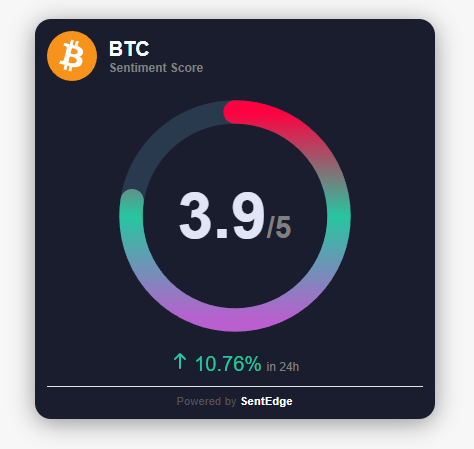
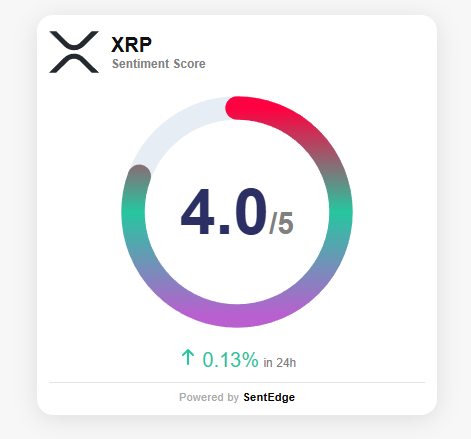
Blokai
Šis įskiepis suteikia 1 bloką.
- SentEdge Widget
Diegimas
- Upload the
sentedge-widgetfolder to the/wp-content/plugins/directory. - Activate the plugin through the Plugins menu in WordPress.
- Go to Settings > SentEdge Widget and enter your API key.
- Add
[sentedge_widget]or the SentEdge Widget block to any post, page, or template.
DUK
-
Do I need an API key?
-
Yes. The SentEdge widget requires a free API key. Sign up here: https://www.sentedge.com/register
-
What tokens are supported?
-
Examples include GENERAL_CRYPTO, BTC, ETH, SOL, and more. Refer to SentEdge documentation for the full list.
-
Can I switch themes?
-
Yes. Choose light or dark in the settings page.
-
Can I override token or theme per page?
-
Yes. Use
[sentedge_widget token="BTC" theme="dark"]or set options in the block or Elementor widget.
Atsiliepimai
Įskiepis neturi atsiliepimų.
Programuotojai ir komandos nariai
“SentEdge Widget” yra atviro kodo programa. Prie jos sukūrimo prisidėję žmonės surašyti toliau.
Autoriai
Išverskite “SentEdge Widget” į savo kalbą.
Domina programavimas?
Peržiūrėkite kodą, naršykite SVN repozitorijoje, arba užsiprenumeruokite kodo pakeitimų žurnalą per RSS.
Pakeitimų istorija
1.0.0
- Initial release.