

Aprašymas
WPGreeks Securities provides a lightweight admin companion framework built strictly for performance, customization, and file environment hardening. This utility suite uses absolute native WordPress core loops and capability hooks to run adjustments cleanly without running risky runtime scripts or database modifications.
Built using native WordPress APIs and coding standards, the plugin focuses on performance, security, and ease of use without modifying core files.
Features
- Secure Login URL customization
- Hide the default wp-login.php access point
- Protection against common automated login attacks
- Modern Dashboard Sidebar UI enhancement
- Lightweight and performance-friendly architecture
- HTML Sitemap Generator Engine
- Native WordPress Settings API integration
- Secure option handling and validation
- WordPress coding standards compliant
Module-1: Secure Login URL Changer
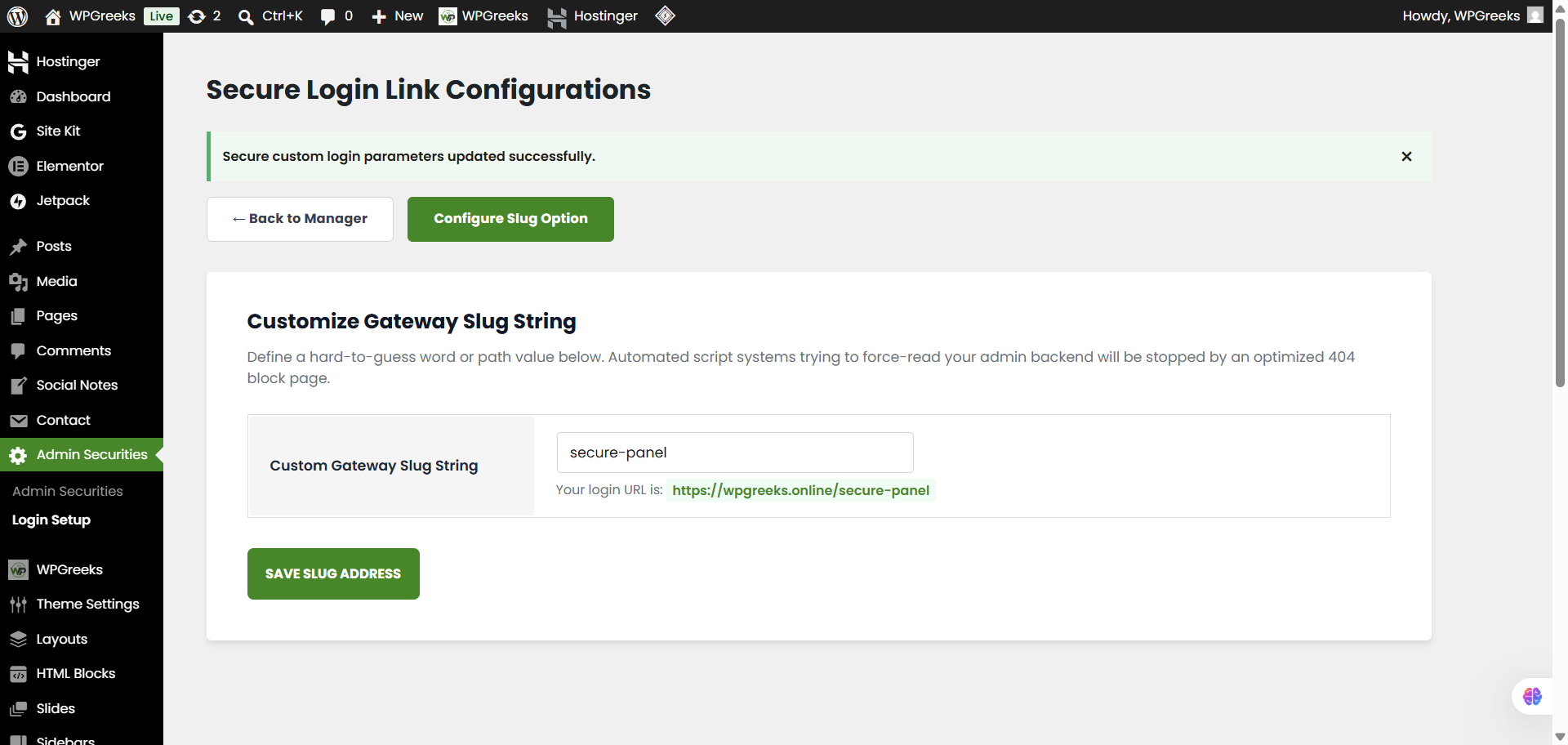
Replace the default WordPress login URL with your own custom login slug. This helps reduce automated bot attacks targeting wp-login.php and improves overall login security.
Module-2: Modern Dashboard Sidebar UI
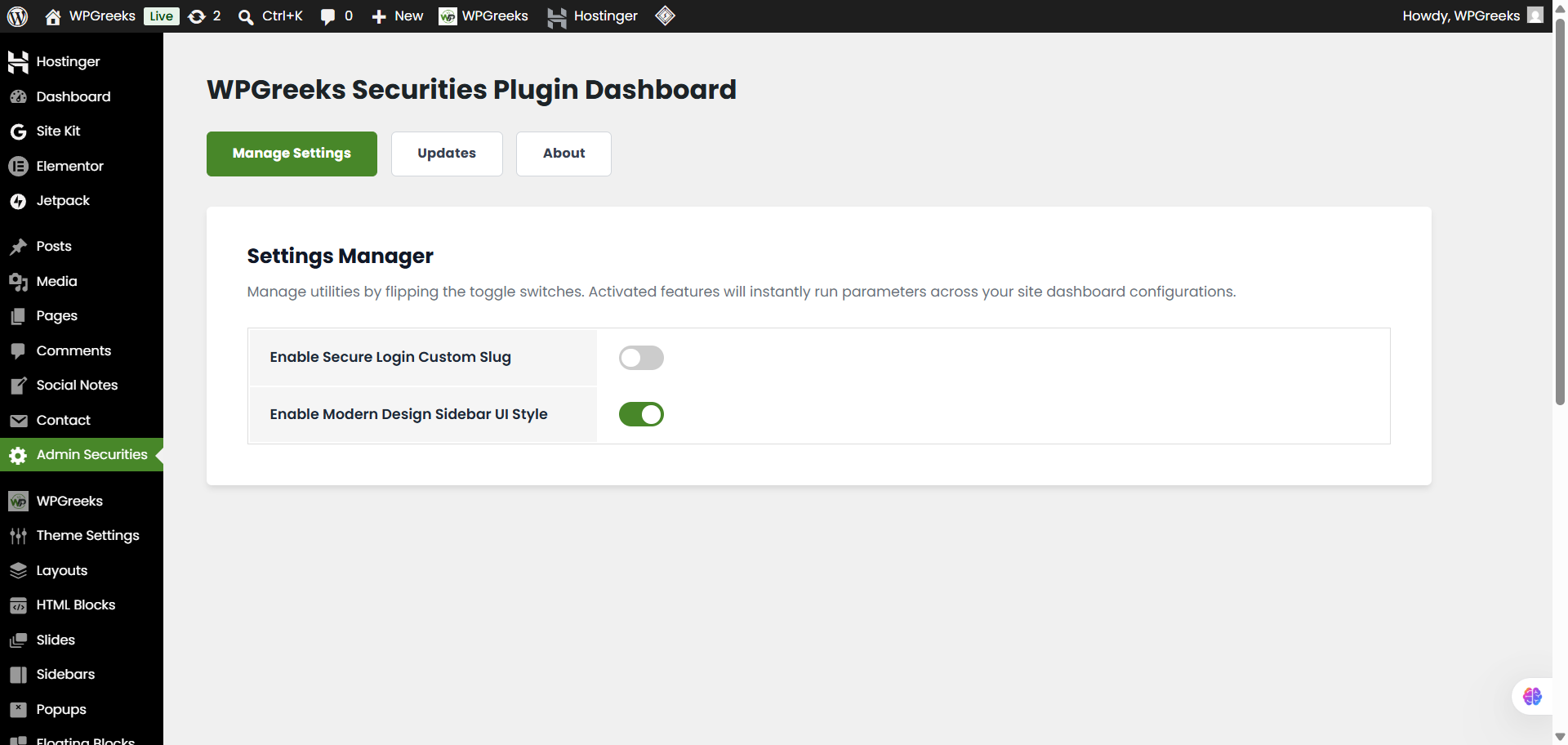
Enable a modern and cleaner WordPress admin sidebar design that improves readability, spacing, and visual organization for administrators.
Module-3: File & Environment Hardening Guard
Secures production sites from code modifications or unauthorized software deployments by dynamically intercepting user capabilities to disable backend theme/plugin installations, uploads, and direct file editor boxes.
Module-4: HTML Sitemap Generator Engine
Automatically Provisions and manages an organic, indexable static architecture directory map page using an explicit deployment shortcode or deploy the following shortcode onto any page or widget container to render a multi-column, accessible structural outline index matching your settings criteria:
[wpgreeks_html_sitemap]
Available filters managed seamlessly via the independent sub-settings group:
* Pages (Standard Hierarchy)
* Posts (Standard Loop)
* Custom Post Types (Dynamically listed per active environment)
* Public Taxonomies (Custom terms built across active schemas)
Ekrano nuotraukos
Diegimas
- Upload the
wpgreeks-securitiesfolder to the/wp-content/plugins/directory. - Activate the plugin through the WordPress Plugins screen.
- Open WPGreeks Securities from the WordPress admin menu.
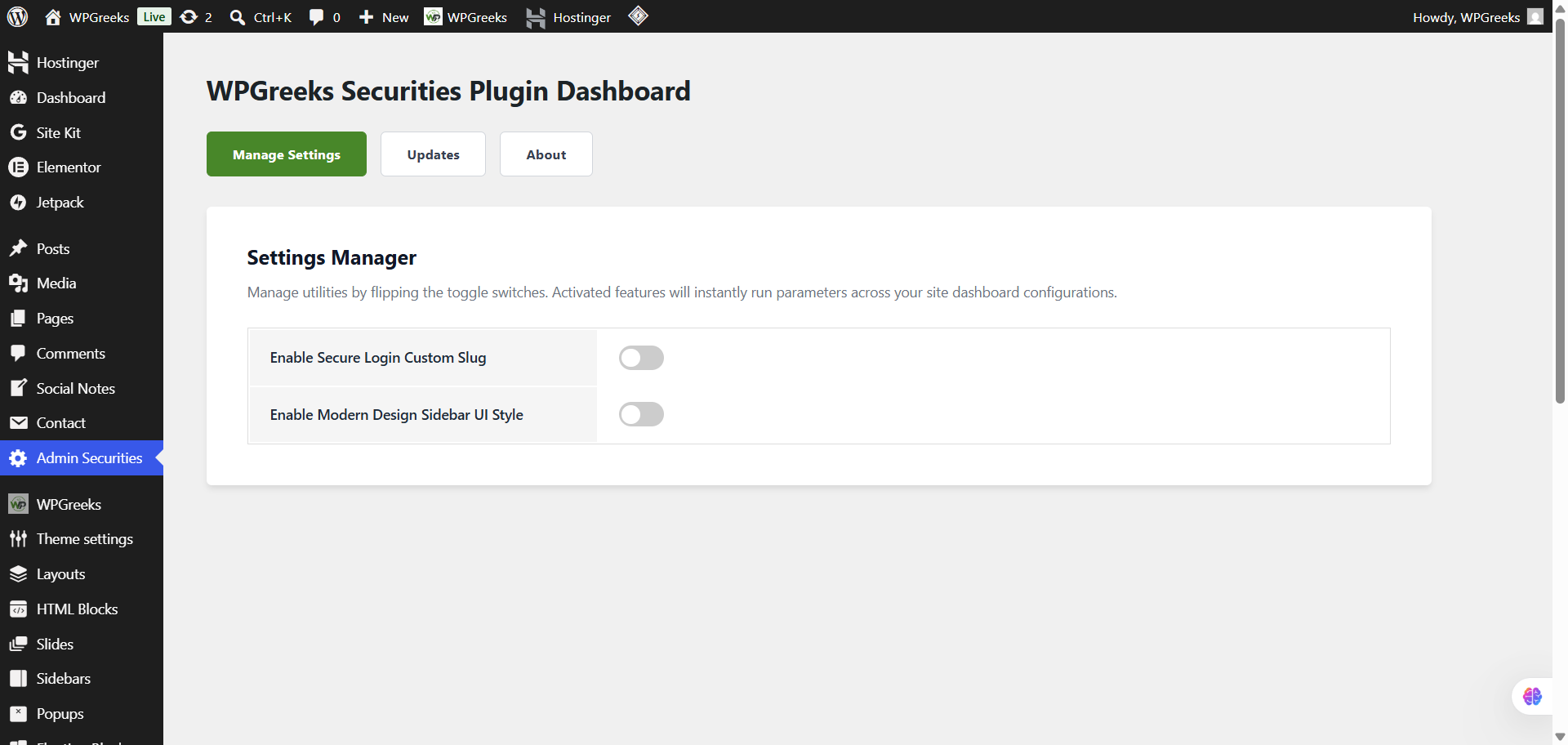
- Enable the desired security modules from the Settings Manager.
DUK
-
Does this plugin modify WordPress core files?
-
No. WPGreeks Securities never modifies WordPress core files. All functionality is implemented using official WordPress hooks and APIs.
-
What happens if I forget my custom login URL?
-
You can temporarily deactivate the plugin via FTP or your hosting file manager. WordPress will automatically restore the default login URL.
-
Does the plugin affect website performance?
-
No. The plugin is designed to be lightweight and loads assets only when required.
-
Is the Modern Dashboard UI compatible with other plugins?
-
Yes. The UI enhancements use isolated and namespaced CSS to minimize conflicts with other plugins.
-
Is data sanitized and validated?
-
Yes. All settings use WordPress sanitization, validation, nonce verification, and Settings API best practices.
-
Does the Environment Hardening Guard affect manual developer file updates?
-
Not at all. The lockdown mechanics purely restrict dashboard-level execution capabilities, such as code additions or web-installer screens. You can still modify files safely over secure SFTP/FTP.
-
How does the automated HTML Sitemap page provisioning work?
-
When you toggle Module 4 to ON inside the central WPGreeks Securities settings console, a physical page titled
"HTML sitemap for WordPress"containing the shortcode is generated instantly. If you turn the master switch OFF, the system automatically cleans up and deletes that page context completely. -
Can I select specifically what content gets exposed on the sitemap layout?
-
Yes. Once Module 4 is activated, a separate configuration screen becomes available where you can use clean binary toggles to instantly include or exclude Pages, Posts, Custom Post Types, and Taxonomies.
Atsiliepimai

Programuotojai ir komandos nariai
“WPGreeks Securities” yra atviro kodo programa. Prie jos sukūrimo prisidėję žmonės surašyti toliau.
Autoriai


Išverskite “WPGreeks Securities” į savo kalbą.
Domina programavimas?
Peržiūrėkite kodą, naršykite SVN repozitorijoje, arba užsiprenumeruokite kodo pakeitimų žurnalą per RSS.
Pakeitimų istorija
1.5.0
- Feature Expansion: Integrated Module 4: HTML Sitemap Generator Architecture Engine.
- Feature Expansion: Introduced dynamic automatic publishing/destruction for shortcode roadmap pages.
- Feature Expansion: Added smart inspection loops that look up and list active public CPT and custom tax definitions.
- Architecture Patch: Separated individual settings fields into isolated data storage scopes to eliminate setting overwrite collisions.
- UI Patch: Enqueued standard dashicons across administration view tables to ensure correct rendering.
- Frontend Enhancement: Split stylesheet architecture, adding highly responsive 3-column masonry rule styling across active client-facing sitemaps.
1.4.0
- Evolved backend architecture into a three-part security and workspace layout switchboard framework.
- Added Module 3 (File & Environment Hardening Guard) to protect core files by disabling backend plugin/theme installations, uploads, updates, and direct template editor screens.
- Intercepted system capabilities natively via the user_has_cap hook filter matrix to prevent dashboard-level security breaches and rogue code modifications.
1.3.0
- Dedicated „Updates” log tab layout page inside the core dashboard manager view.
- Extracted all structural styling from PHP views into an optimized external asset sheet (admin-style.css).
- Cleaned up code layout architecture to follow strict WordPress Codex coding and safety protocols by completely removing all inline attributes.
1.2.0
- Added „Enable Modern Design UI” management switch (Module 2) to toggle sleek visual styling modifications across the global WordPress administrative sidebar area.
- Set up target conditional asset enqueuing inside the main hook loop to load admin-menu.css across all WordPress backend pages without running unwanted background scripts.
1.1.0
- Resolved the critical PHP layout variables conflict ($user_login and $error being undefined) during standard theme session terminations.
- Upgraded runtime injection to hook natively on wp_loaded instead of early initialization phases, eliminating site-wide white screens and core routing conflicts.
1.0.0
- Re-engineered plugin into a Modular Component Framework to isolate and separate custom menu logic rules.
- Created the „WPGreeks Secure Login Slug” tool (Module 1) to block automated malicious scripts by routing wp-login queries to an optimized custom page slug gateway.
- Integrated modern interactive CSS toggle switches into the Settings Manager dashboard for quick module activation.
- Added cryptographic security handshake validations (wp_nonce_field and check_admin_referer) across all input forms.