
Aprašymas
Turn Lost Searches into Content Opportunities
Discover what your visitors are searching for but can’t find – and use that data to improve your content, SEO, and user experience.
When users search and get no results, they leave. This leads to missed content opportunities, lost engagement, and weaker SEO performance.
Lost Search Result Tracker automatically records search queries that return no results in your WordPress site, giving you direct insight into real user intent.
Instead of guessing what to create next, you can:
- Discover missing topics and keywords
- Build content based on real demand
- Improve internal search experience
- Reduce bounce rate from search pages
- Make smarter content decisions
Key Features
- Track all „no results” search queries
- Works with default WordPress search
- View queries in the admin dashboard
- Filter and analyze search data
- Export queries for further analysis (CSV)
- Lightweight and fast
- No external services required
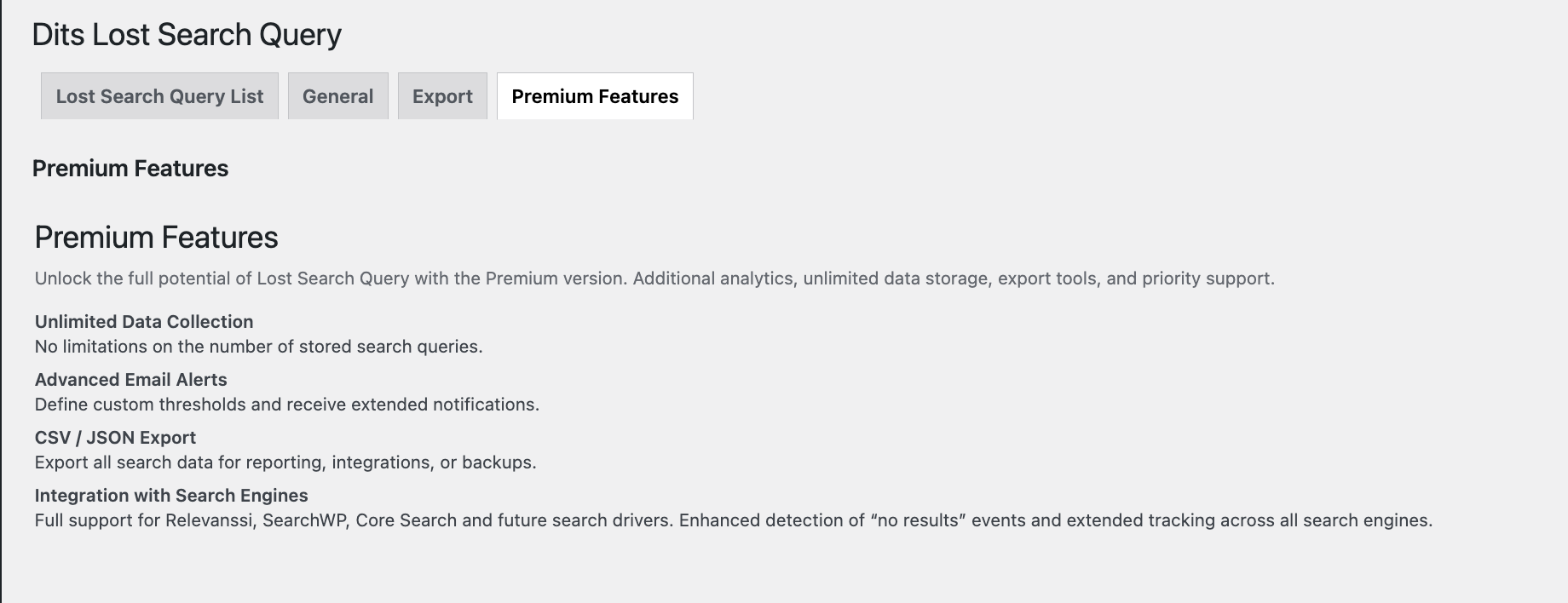
Premium Features
A premium version is available with extended capabilities for advanced usage.
- Unlimited Data Collection: Store unlimited search queries for long-term analysis.
- Advanced Email Alerts: Set custom thresholds and receive notifications.
- CSV / JSON Export: Export data for reporting and integrations.
- Extended Search Integration: Supports Relevanssi, SearchWP, and WordPress core search.
Note
The free version includes essential tracking.
Premium extends functionality for advanced analytics and larger sites.
Benefits
- Turn failed searches into new content ideas
- Improve SEO using real search behavior
- Understand what users expect to find
- Reduce frustration from empty search results
- Optimize your site based on real demand
Why Choose This Plugin
This plugin focuses on one critical insight:
- What users are searching for but not finding
Instead of adding complexity, it provides a simple and focused tool for understanding user intent inside your WordPress site.
- No setup required
- Minimal interface
- Immediate value after activation
Perfect For
- Content-driven websites
- Blogs and publishers
- SEO specialists
- Content marketers
- Agencies managing WordPress sites
Important Notes
- The plugin works with WordPress native search functionality.
- Custom search forms must use standard WordPress functions, for example
get_search_query().
Usage
Once activated, no additional configuration is required. The plugin begins logging all search queries that result in no matches. You can:
- Review lost search queries in the WordPress admin panel
- Filter by time period or occurrence count
- Export the data in
.csvformat for Excel or further analysis
Support
For support, feature requests, or bug reports, please contact DITS Agency or use the plugin support forum.
Developer Notes
Hooks and filters:
do_action('dits_lost_query_logged', $query)– Fires after a lost query is saved to the database.
Ekrano nuotraukos

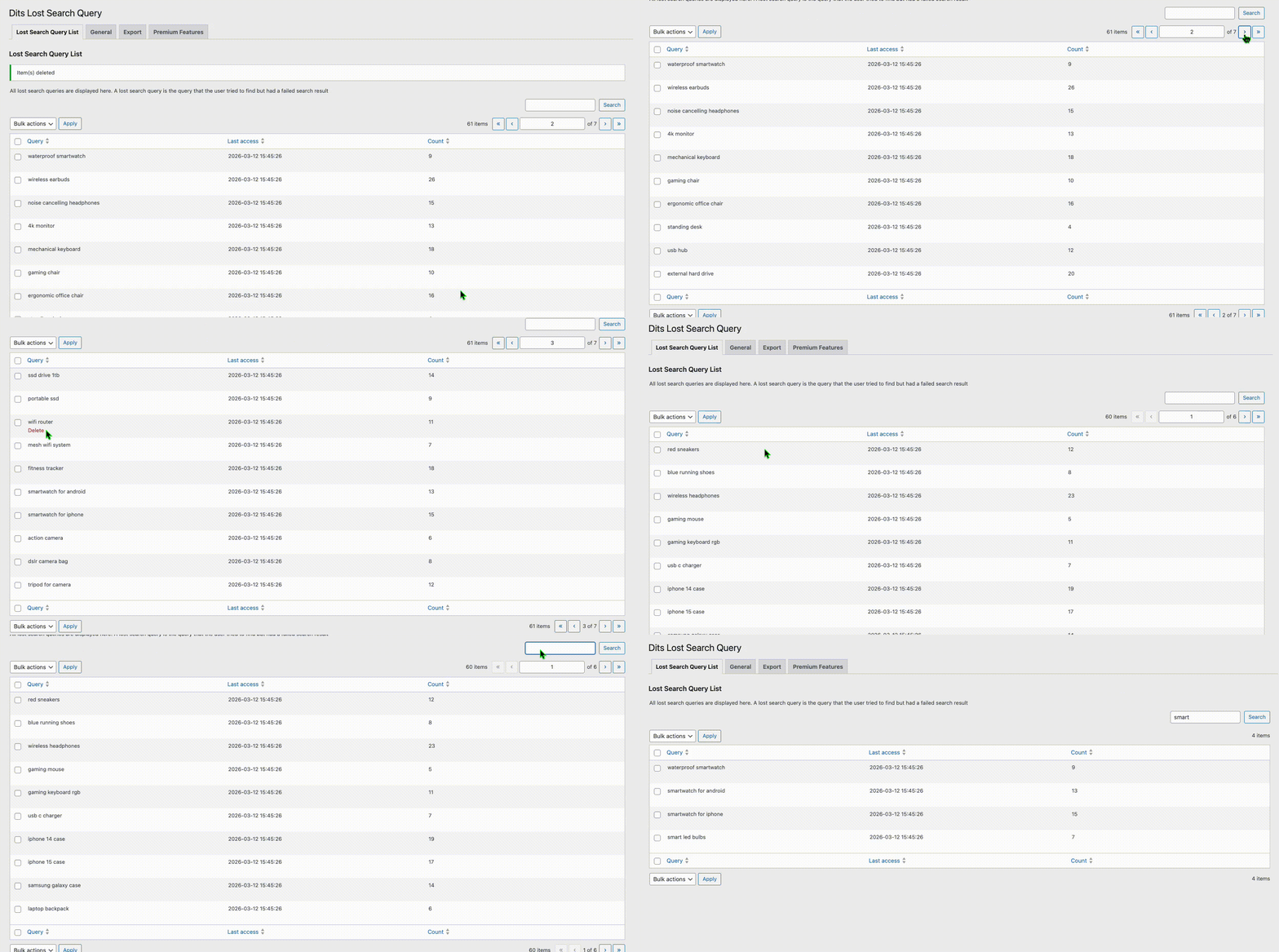
Lost Search Query List
Admin interface showing tracked queries that returned no results.
Export Queries
Button to export lost queries as a CSV file for further analysis.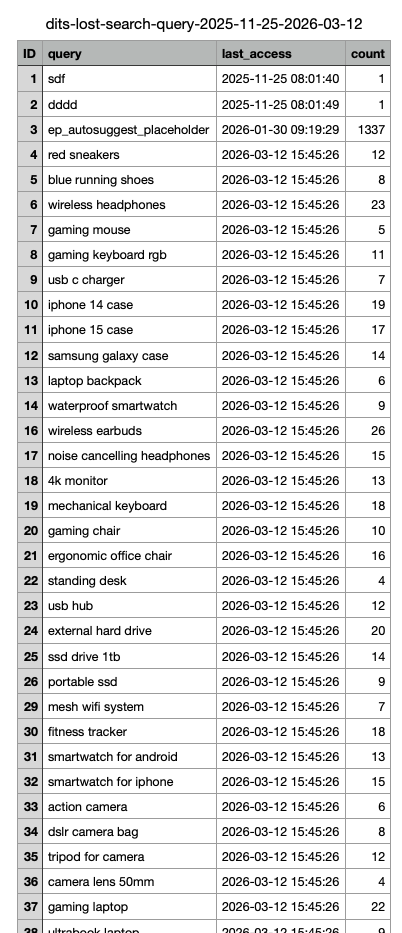
Diegimas
Automatic Installation
- Log into your WordPress admin panel.
- Go to Plugins > Add New.
- Search for Lost Search Result Tracker and click Install Now.
- Activate the plugin after installation.
Manual Installation
- Download the plugin ZIP file and extract it.
- Upload the extracted folder to your
/wp-content/plugins/directory using FTP or your hosting control panel. - Go to Plugins in your WordPress dashboard and click Activate next to Lost Search Result Tracker.
DUK
-
What are lost search queries in WordPress?
-
Lost search queries are search terms that return no results on your website. These highlight missing content that users expect to find.
-
How can I track search queries in WordPress?
-
This plugin automatically logs all search queries with no results using WordPress native search.
-
How does this plugin help SEO?
-
It reveals real keywords your visitors are searching for, helping you create relevant content and improve rankings.
-
Does the plugin store personal user data?
-
No. The plugin does not store personal data and works without external tracking services.
-
Does it require any setup?
-
No. Install and activate – tracking starts automatically.
-
Does the plugin work with custom search forms?
-
Yes, as long as your custom search uses WordPress’s native
get_search_query()functionality. -
Can I export the data?
-
Yes. Search queries can be exported for further analysis.
Atsiliepimai


Programuotojai ir komandos nariai
“Lost Search Result Tracker” yra atviro kodo programa. Prie jos sukūrimo prisidėję žmonės surašyti toliau.
Autoriai
Išverskite “Lost Search Result Tracker” į savo kalbą.
Domina programavimas?
Peržiūrėkite kodą, naršykite SVN repozitorijoje, arba užsiprenumeruokite kodo pakeitimų žurnalą per RSS.
Pakeitimų istorija
1.1.6
- Improved reliability and performance of bulk operations.
- Minor stability improvements and internal optimizations.
1.1.5
- Fixed issues with bulk delete functionality.
- Improved stability of bulk actions processing.
1.1.4
- Fixed a bug affecting the storage of search results.
1.1.3
- Added integration groundwork for Algolia Search. This release introduces the base architecture for Search Engine integrations; additional integrations will be available soon in the Pro version.
1.1.2
- Added new components that prepare the plugin for upcoming Premium features.
1.1.2
- Added new components that prepare the plugin for upcoming Premium features.
1.1.1
- Fixed scripts and styles in admin panel.
1.0.1
- This update fixes minor issues with loading scripts and styles. No changes to plugin functionality.
1.0.0
- Initial release.