

Aprašymas
Formidable Forms (https://formidableforms.com/?utm_source=wprepo&utm_medium=link&utm_campaign=liteversion) is a WordPress form plugin, form maker, and quiz maker for contact forms, payment forms, survey forms, quiz forms, registration forms, and calculator forms, plus complete web applications, all built with a drag and drop form builder interface. A beginner can have a working contact form running in minutes. A developer can turn the same plugin into a data-driven registration system, a front-end directory, or a calculated pricing tool. One plugin covers the ground that otherwise takes five separate contact form plugins: forms, payments, surveys, quizzes, calculators, and web apps, all inside WordPress.
Watch the video overview for the Formidable form builder, calculator, and quiz maker
Formidable Pro
This plugin is the free version of Formidable Pro, which adds email subscription forms, multi-page forms, file upload forms, quiz grading, and conditional logic. Add repeater fields, premium Stripe and PayPal payment integrations, cascading dropdowns, calculated fields, front-end editing, the AI form builder, and the web application builder. Get Formidable Pro and unlock every premium form feature.Start with the Lite vs Pro comparison.
WordPress Form Builder for Every Type of Form
Start from one of 300+ pre-built form templates, build a custom form from scratch, or describe the form you need in plain English and let the AI form builder create it. A simple contact form takes minutes with this plugin. Layer in conditional logic, multi-step pages, and calculated fields, and the same plugin produces registration forms, quote forms, and price calculator forms. Every form is mobile-responsive by default, and this plugin includes unlimited forms in the free version.
AI Form Builder and MCP: Build Forms with Claude, ChatGPT, Cursor, or Any AI Agent
Describe a contact form or quiz in a sentence and Formidable builds it. The AI form builder (Pro) turns a plain-text prompt into a complete, editable contact form, registration form, or quiz, with fields, validation, and layout already in place. Add an AI field inside any form to show a ChatGPT-generated response based on what a visitor typed, then reuse that text in confirmation messages, email notifications, or Formidable Views.
Formidable also includes built-in Model Context Protocol (MCP) support, free in the plugin. Claude, ChatGPT, Cursor, or any MCP-compatible client can create and edit forms, entries, styles, form actions, payments, and subscriptions directly on your WordPress site from a chat prompt. No separate MCP adapter plugin or Composer setup is required.
Payment Forms with Stripe, PayPal, Square, and More
Accept credit card payments, subscriptions, and donations directly through your WordPress forms. This plugin connects to Stripe, PayPal, Square, and Authorize.net. Set up a donation form, a product order form, an event payment form, or a service booking form in a few minutes.
Stripe and PayPal payment forms are available for free. Stripe supports ACH, Cash App, Klarna, and iDeal. A transaction fee applies without a Pro license. For in-person events, payment forms can also be set to cash, manual recording, or on-site collection, so hybrid businesses aren’t locked into a single workflow.
Survey Forms, Quiz Forms, and Online Calculators
Formidable’s survey form builder covers NPS fields, Likert scales, star ratings, and image choices, then turns the results into graphs and charts on your WordPress pages, without a separate SurveyMonkey subscription. As a quiz maker, it handles scored assessments, personality quizzes, and graded tests.
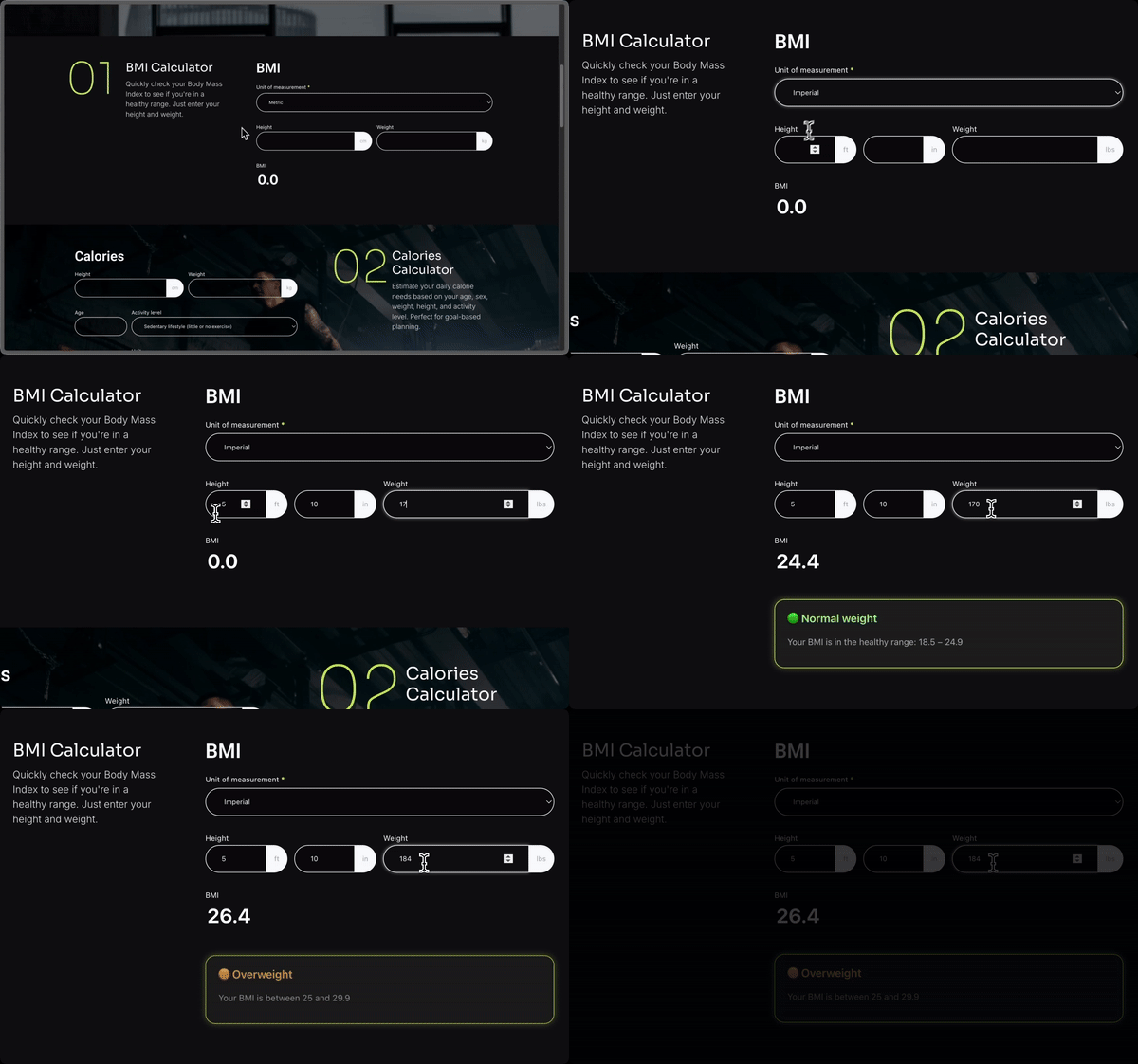
Calculator forms cover mortgage calculators, loan calculators, BMI calculators, price calculators, and instant quote calculators, all driven by calculated fields that update as a visitor fills out the form.
Build Directories, Listings, and Web Applications with Formidable Views
Formidable is a web application builder as much as a form plugin. Formidable Views turns submitted registration form and entry data into a searchable database you can present as front-end pages: searchable directories, job boards, real estate listings, member directories, event calendars, and timeline views. No additional plugin is required. This plugin’s forms and Views work together, so a form’s data can become a full web application without leaving WordPress, with more built-in depth than Ninja Forms reaches through its own add-ons.
Registration Forms, User Profiles, and Entry Management
The repeater field builds registration forms for teams, events, and courses, with multiple rows of fields for each registrant on a registration form. Front-end profile editing lets users update their own registration form information without visiting the WordPress dashboard.
Every registration form and contact form submission is stored in your WordPress database, exportable to CSV, and importable into Mailchimp and similar services. This plugin includes GDPR controls for IP tracking, saved submissions, and consent fields on any registration form or contact form, along with automated email notifications, autoresponders, and redirect rules after a form is submitted.
Marketing, CRM, and Automation Integrations
Formidable connects contact forms, registration forms, and payment forms to the rest of your marketing stack.
Email Marketing: Direct integrations for Mailchimp, Constant Contact, AWeber, MailPoet, ActiveCampaign, HubSpot, Salesforce, GetResponse, and Campaign Monitor.
CRM and Automation: Zapier connects contact forms, registration forms, and payment forms to thousands of apps, including Zoho CRM, Slack, Trello, and Twilio for SMS notifications.
Newer integrations: Formidable connects to Google Sheets, sends entry data through webhooks to any endpoint, and works with Advanced Custom Fields (ACF) for developers already building with ACF.
WooCommerce: Build custom WooCommerce product forms with variable pricing, configuration options, and calculated totals that flow into the cart.
Multilingual: WPML and Polylang integrations for multilingual WordPress forms.
Analytics and Reporting: Survey results, quiz scores, and calculator entries can all be charted automatically with Charts & Graphs, so a customer satisfaction survey or an NPS survey produces a report without exporting to a spreadsheet first. Combined with Formidable Views, the same entry data can be filtered and displayed as a live dashboard on the front end, for teams that want survey results or quiz completion rates visible to more than just the WordPress admin.
Visual Form Styler and Advanced Fields
Formidable includes a built-in visual style editor, so contact forms, survey forms, and payment forms can match your brand without custom CSS. Adjust colors, fonts, layouts, and field styles in a few clicks.
Pro adds multi-page forms with progress bars, save-and-continue, cascading dropdowns, and digital signatures. Invisible spam protection (honeypot, Akismet, reCAPTCHA, hCaptcha, Cloudflare Turnstile) is included. Address fields are included in the free version, and Google address autofill and geolocation are available with the Geolocation add-on. Every form is WCAG-compliant and accessible by default.
A WordPress Form Plugin for Every Industry
Small businesses use Formidable for contact forms and lead capture. Financial services build loan and mortgage calculators. HR teams and researchers run survey forms and employee surveys, with results charted automatically instead of exported to a separate survey tool. Schools and event coordinators build registration forms. Nonprofits collect donations on a contact form or dedicated donation form. Legal and medical practices use file upload forms for intake. Real estate and job sites build front-end directories. Service businesses handle booking and appointment forms. Course creators and coaches use quiz forms to grade knowledge checks and route students based on their score. Market researchers looking for a Wufoo alternative or a paid SurveyMonkey plan get the same customer satisfaction survey and NPS survey reporting without leaving WordPress. Teams looking for a Formstack alternative for internal request forms find the same calculator and workflow features here, at no added monthly cost. Agencies comparing Fluent Forms or Forminator for calculator forms and a front-end data display layer typically find both together in Formidable.
Full Formidable Forms Feature List
From contact forms and registration forms to calculators and quizzes:
- Drag and Drop Form Builder – Build contact forms, payment forms, and survey forms visually
- AI Form Builder – Describe a form in plain text and have it built for you
- Formidable MCP Server – Let Claude, ChatGPT, or Cursor build and edit forms on your site
- ChatGPT Integration – Show AI-generated responses inside a form based on user input
- Calculator Forms – Mortgage, loan, BMI, price, and instant quote calculators
- Survey Forms – NPS, Likert scale, star rating, and image choice fields
- Quiz Maker & Quiz Form Builder – Scored quizzes, personality quizzes, and graded assessments
- Multi-Step Forms – Multi-page forms with progress bars and conditional logic
- Payment Forms – Stripe, PayPal, Square, and Authorize.net, online and in-person
- WooCommerce Form Builder – Custom product forms with dynamic pricing
- Formidable Views – Display form data as directories, job boards, and listings
- Directories – Turn entries into a searchable database presented as member and business directories
- Real Estate Listings – Property listing pages built from form entries
- Calendar Views – Display entries as an event calendar
- Timeline Views – Display entries as a chronological timeline
- Job Boards – Job listing and application sites built on form data
- Charts & Graphs – Turn survey and entry data into visual reports
- Web Application Builder – Build custom data-driven apps without code
- Form Templates – 300+ pre-built templates for every use case
- Conditional Logic – Show and hide fields dynamically based on answers
- File Upload Form – Accept documents, photos, and files in any form
- User Registration Form – Registration and profile forms for membership sites
- PDF Forms – Generate PDFs, certificates, and invoices from submissions
- Invisible SPAM Protection – Honeypot, Akismet, reCAPTCHA, hCaptcha, Cloudflare Turnstile
- Customize Form HTML – Full control over form HTML like Contact Form 7, plus drag and drop
- Conversational Forms – One question at a time, similar to Typeform
- Repeater Fields – Add multiple rows of fields in registration and order forms
- Visual Form Styler – Brand your forms with colors, fonts, and layouts
- Cascading Dropdown Fields – Dynamic dependent dropdowns for complex forms
- Digital Signatures – Collect signatures in contract and booking forms
- Front-End Editing – Let users edit their own submissions without logging in
- Save & Continue – Let users finish long forms on their own schedule
- WCAG-Compliant Forms – Accessible form plugin for all users
Built by Strategy11
Formidable Forms is a WordPress plugin built by Steve and Steph Wells and the Strategy11 team, with Syed Balkhi (https://syedbalkhi.com/) as an advisor. Over 300,000 WordPress sites run this form maker for contact forms, registration forms, and payment forms. Its users have built more than 3 million forms and processed over $350 million in payments through Formidable-powered forms, and it holds a 4.8 out of 5 rating across more than 1,300 WordPress.org reviews.
Formidable Forms vs. Gravity Forms, WPForms, JotForm, and Typeform
If you’ve compared WordPress form plugins, you’ve probably looked at Gravity Forms, WPForms, JotForm, or Typeform. Formidable brings calculator forms, quiz forms, and front-end data display with Formidable Views into one plugin, so you don’t need separate tools for each. Form data stays in your own WordPress database instead of an external SaaS platform, and built-in MCP support lets AI clients like Claude and ChatGPT build and edit forms directly on your site.
Formidable Branding Guidelines
Formidable Forms is also known as Formidable, Formidable Form Builder, Formidable Pro, or Formidable Views.
Formidable Forms Resources
Docs and support (https://formidableforms.com/knowledgebase/?utm_source=wprepo&utm_medium=link&utm_campaign=liteversion), the Formidable blog (https://formidableforms.com/blog/?utm_source=wprepo&utm_medium=link&utm_campaign=liteversion), and the full release changelog (https://formidableforms.com/changelog/?utm_source=wprepo&utm_medium=link&utm_campaign=liteversion) are all linked from inside the plugin.
Credits
This online form and quiz builder is created by Steve and Steph Wells and the Strategy11 Team, with Syed Balkhi (https://syedbalkhi.com/) as an Advisor.
Ekrano nuotraukos


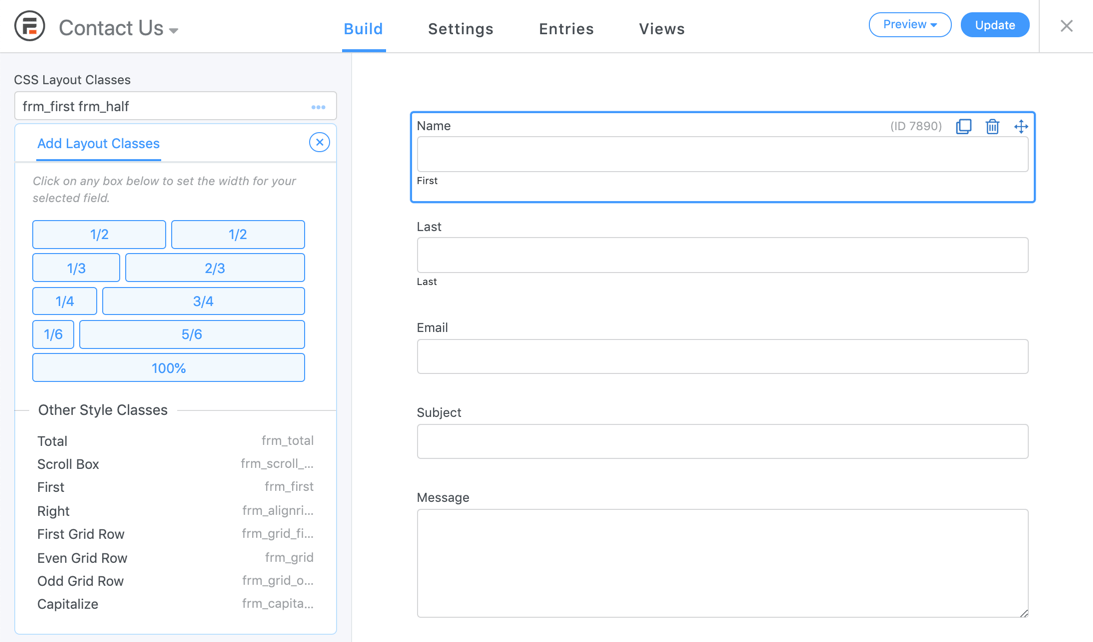
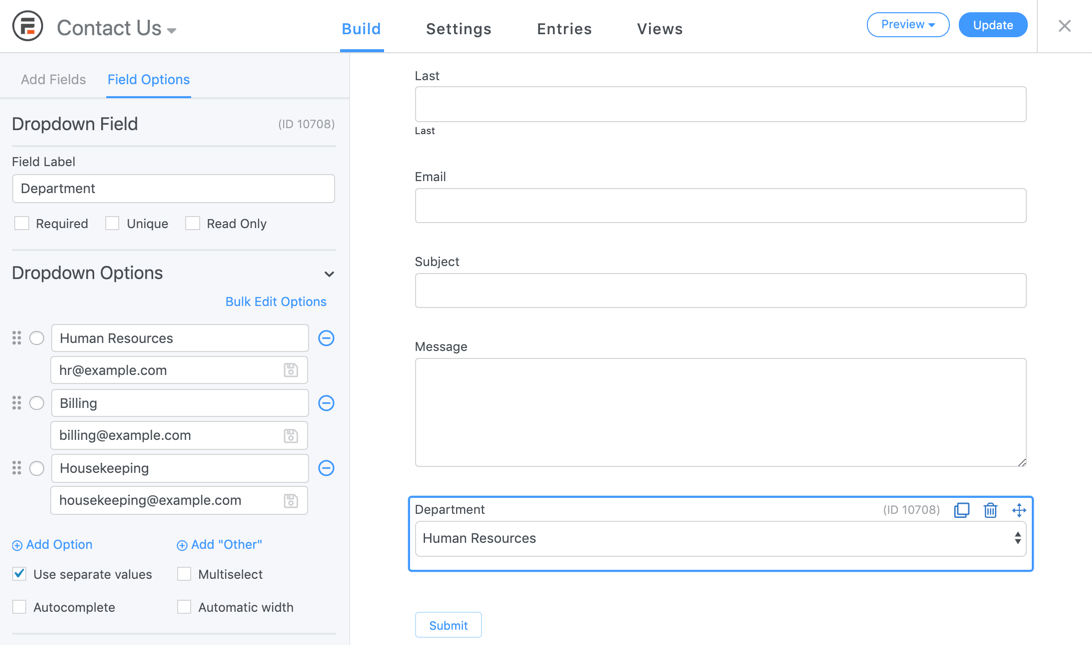

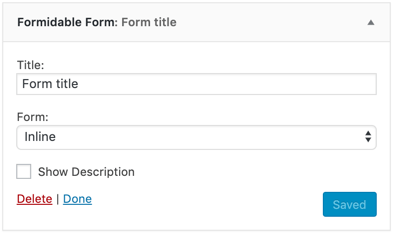

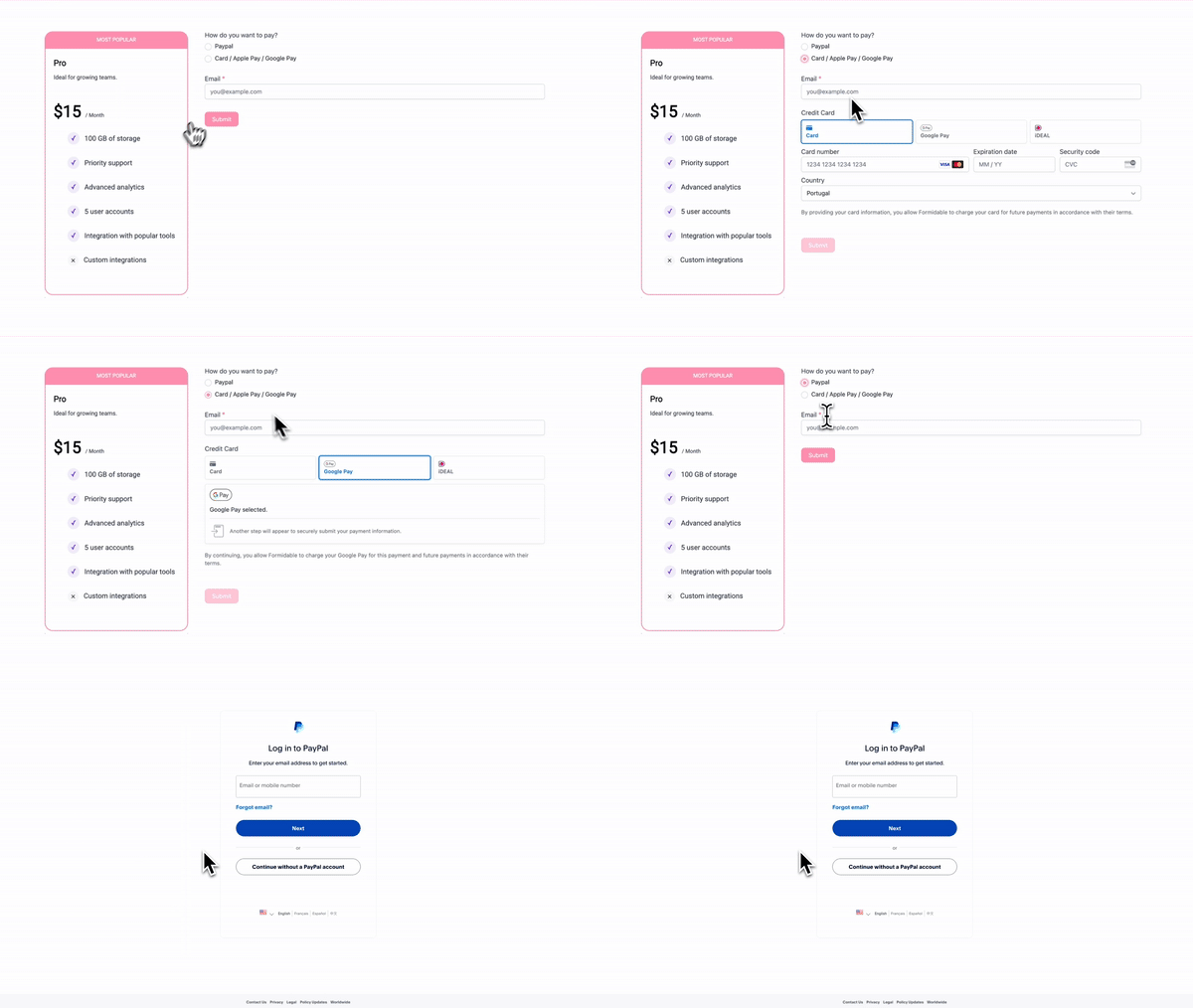

Blokai
Šis įskiepis suteikia 2 blokus.
- Formidable Views
- Simple Form
Diegimas
- Go to the Plugins -> ‘Add New’ page in your WP admin area
- Search for ‘Formidable’
- Click the ‘Install Now’ button, then ‘Activate’
- Go to the newly added ‘Formidable’ menu
- Click the ‘Add New’ button to go to the form generator page and create a new email form
- Insert your newly created lead form, quiz, or survey form on a page or post using the Embed Form pop up. Or insert it manually or into a widget using a shortcode [formidable id=x]. Alternatively use to add it in a theme file.
DUK
-
How do I get started with WordPress forms?
-
The fastest way to build a form is to use the example we built for you. After you activate Formidable, insert [formidable id=contact-form] on the WordPress page of your choice.
Go to the Formidable page and click „add new”. Choose the Contact Us form template or another free template and click „Create”.
Next, edit or create a WordPress contact page. Click the „Formidable” button to open the shortcode generator. Choose your new web form and insert it into the WordPress page. Save the page and your WP contact form is ready to collect and store leads. The contact form template gets you up and running fast.
-
Can I build forms with ChatGPT, Claude, or an AI agent?
-
Yes. The AI form builder in Formidable Pro turns a plain-text description into a working form, and you can add an AI field inside any form to show a ChatGPT-generated response based on submitted data. Built-in MCP support also lets an MCP-compatible AI client such as Claude, ChatGPT, or Cursor create and edit forms, entries, styles, form actions, payments, and subscriptions directly on your site.
-
Why isn’t WordPress sending emails?
-
When you do not receive emails, try the following steps:
- Double check the email address in your Email action on the settings page. The [admin_email] shortcode uses the email address from your WordPress Settings -> General page.
- Are you receiving other emails from your site (ie comment notifications, forgot password…)? If not, notifications will not work either.
- Check your SPAM box.
- Try a different address in your settings.
- Install WP Mail SMTP or another similar emailing alternative and configure the SMTP settings.
- If these steps do not fix the problem and other WP signup emails are not going out, please reach out to your web host.
Read more about WordPress emails not sending (https://formidableforms.com/wordpress-not-sending-emails-smtp/?utm_source=wprepo&utm_medium=link&utm_campaign=liteversion) in our blog.
-
What types of WordPress forms can I build?
-
Combined with our add-ons, Formidable supports dozens of form types. Here are some types of web forms you can create:
- Custom Contact Form
- Multi-Page Form with progress bar
- Dynamic Form (where fields change based on user’s answers)
- Request a Quote Form
- Job Application Form
- Feedback Surveys
- Make a Suggestion
- Testimonials
- Change Requests
- Online Booking
- Event Booking
- Online RSVP Form
- Custom WordPress User Registration Form (Great for membership sites)
- WordPress Login Form
- Custom WordPress User Profile
- WordPress Post Submission (Great for guest posts)
- WooCommerce Form for Products
- Credit Card Form
- Make a Donation Form
- T-Shirt Order Form
- Product Purchase Form
- Lead Capture
- Auto Form with Car Make and Model
- Video Release
- Partnership Agreements
- PTO Request
- Online Petitions
- Signature Form
- Maintenance Request
- Scholarship Application Form
- File Download Form
- Employment Verification
- Make a Referral
- Membership, Customer, Vendor, Conference, and Volunteer Registration
- Camp, Course, School Class, and other Event Registration
- Custom Survey
- Polls
- Quizzes
- Mortgage Calculator
- Car Payment Calculator
- BMI Calculator
- User Age Calculator
- Online Quote Calculator
- Compound Interest Calculator
- Amortization Calculator
- Calorie Intake Calculator
- Pregnancy Due Date Calculator
- Days Between Dates
- Recipe Reviews
- Personality Quiz
- Viral Quiz
- Cosmos Style Quiz
- Create Your Own Adventure Quiz
To see more, visit our Form Template Gallery (https://formidableforms.com/form-templates/?utm_source=wprepo&utm_medium=link&utm_campaign=liteversion) which has over 300 pre-made templates.
-
Can I see any example online calculators?
-
Sure! Here are just a few examples:
* Advanced Mortgage Calculator (https://formidableforms.com/form-templates/advanced-mortgage-calculator-form/?utm_source=wprepo&utm_medium=link&utm_campaign=liteversion)
* Basic Mortgage Calculator (https://formidableforms.com/form-templates/simple-mortgage-calculator-form/?utm_source=wprepo&utm_medium=link&utm_campaign=liteversion)
* Car Payment Calculator (https://formidableforms.com/form-templates/automobile-payment-calculator-form/?utm_source=wprepo&utm_medium=link&utm_campaign=liteversion)
* Net Promoter Score (NPS) Survey (https://formidableforms.com/form-templates/nps-survey-form/?utm_source=wprepo&utm_medium=link&utm_campaign=liteversion)
* BMI Calculator (https://formidableforms.com/form-templates/bmi-calculator-form/?utm_source=wprepo&utm_medium=link&utm_campaign=liteversion) and more Health and Fitness Calculators
* User Age Calculator (https://formidableforms.com/form-templates/age-calculator-form/?utm_source=wprepo&utm_medium=link&utm_campaign=liteversion)
* Online Quote Calculator
* Finance Calculator
* Booking Cost Calculator
* Product Price Calculator -
How can I get access to all advanced features?
-
To get access to more features, integrations, and support, upgrade to Formidable Pro (https://formidableforms.com/?utm_source=wprepo&utm_medium=link&utm_campaign=liteversion). A Pro license gives you access to the full version of Formidable, including Formidable Views, graphs and stats, priority support, and Formidable Add-ons.
-
Can I create a payment form?
-
Yes! We make it easy to accept payments using Stripe, Square, PayPal, and Authorize.net.
Our Stripe integration helps you quickly accept credit card payments online. Our PayPal forms allow you to accept PayPal payments, subscriptions, and donations online.
-
Which field types does Formidable offer?
-
Our custom form and quiz builder comes with the fields you need to create a solution-focused form, fast.
- Single line text – Great for name, phone number, address, and more.
- Website/URL
- Paragraph text
- Checkboxes and radio buttons
- Dropdown select boxes
- Number
- Phone number
- Hidden fields
- User ID
- HTML block – Great for custom HTML
- Captcha for Google reCAPTCHA (invisible V2 or checkbox V2, V3), hCaptcha, or Cloudflare Turnstile.
- GDPR – Great for compliance with General Data Protection Regulation (GDPR).
- Address – Power it up with Google address autofill and geolocation.
Here is a list of our advanced premium fields that will come in handy:
- File Upload
- Rich Text
- Date
- Time
- Scale
- Star Rating
- Ranking
- Range Slider
- Toggle
- Dynamic – Great for creating relationships between entries.
- Repeater – Great for registering multiple kids, job history, and much more.
- Tags
- Summary – Great to review responses before submit.
- Lookup – Great for cascading lookups like country, city, state.
- Section Heading
- Page Break
- Embed Form – Great for reusing the same set of fields in multiple places.
- Password Field
- Signature – Great for contracts and booking.
- AI – Display AI-generated responses inside your form using ChatGPT. Great for personalized results, recommendations, and dynamic content.
Additionally, our Payment fields will help you create a credit card form, donation form, or booking form.
- Single Item
- Multiple Items
- Checkbox Items
- Dropdown Items
- Product Quantity
- Total
- Credit Card (Stripe, Square, or Authorize.net)
-
Can I import and export submissions?
-
Yes, it’s easy to import and export. This is incredibly useful for developers and agencies who are building websites for clients. You can also create custom form templates to use on client websites.
You can also import from other WordPress contact form plugins such as Gravity Forms (https://wordpress.org/plugins/formidable-gravity-forms-importer/) and Pirate Forms. Although we don’t have an importer available, this is also a great Caldera Forms alternative since it’s no longer supported.
-
Can I integrate with my CRM or email marketing service?
-
Yes! That’s why Formidable allows you to connect your WP form (email form, payment form, etc.) with the marketing platform of your choice. You can send data from WordPress to your favorite CRM, email newsletter, spreadsheet, or other marketing platform.
Here is a list of our CRM and email marketing integrations:
- Mailchimp
- AWeber
- Constant Contact
- GetResponse
- MailPoet
- Active Campaign
- Salesforce CRM
- HubSpot CRM
- Campaign Monitor
- Highrise CRM
- Google Sheets
Using our Zapier integration, you can easily connect your website with over 5,000+ marketing apps including:
- SendInBlue
- Zoho CRM
- Zoho Mail
- Zoho Invoice
- Agile CRM
- Slack
- Trello
- Infusionsoft by Keap
- Microsoft Excel
- Dropbox
- PipeDrive CRM
- HelpScout
- Zendesk
- Freshbooks
- Freshsales
- Intercom
- Click Funnels
- Microsoft Dynamics 365 CRM
- Capsule CRM
- Insightly CRM
- Printfection
- Acuity Scheduling
- Quickbooks Online
See all Formidable Zapier Integrations (https://zapier.com/apps/formidable/integrations).
Atsiliepimai


Programuotojai ir komandos nariai
“Formidable Forms – Contact Form, Survey, Quiz, Payment, Calculator Form & Custom Form Builder” yra atviro kodo programa. Prie jos sukūrimo prisidėję žmonės surašyti toliau.
Autoriai


Įskiepis “Formidable Forms – Contact Form, Survey, Quiz, Payment, Calculator Form & Custom Form Builder” išverstas į 23 kalbas. Dėkojame vertėjams už jų darbą.
Domina programavimas?
Peržiūrėkite kodą, naršykite SVN repozitorijoje, arba užsiprenumeruokite kodo pakeitimų žurnalą per RSS.
Pakeitimų istorija
7.0
- Security: Additional permission checks have been added to prevent unauthorized plugin installations.
- Security: Download URL validation has been hardened to prevent downloads from untrusted sources.
- New: Built-in MCP support now lets AI assistants manage forms, entries, styles, actions, payments, and subscriptions.
- New: Suspected spam can now be saved for review instead of blocking submissions.
- New: Entries can now be marked as spam or not spam, with details about failed spam checks.
- New: Autocomplete settings are now available in Lite.
- New: Validation errors now include a clickable summary that focuses the input needing correction.
- New: Default validation messages now provide guidance for email addresses, URLs, phone numbers, and numbers.
- New: Name and Address inputs now display more specific validation errors for missing parts.
- New: Form settings now include a GDPR section.
- New: Style classes can now be renamed in the visual styler.
- New: Global Settings now warns before leaving with unsaved changes.
- New: PayPal Commerce actions now support conditional logic.
- New: Website/URL inputs now include an option to accept international domain names.
- New: Clicking a section header in the builder now selects the whole section.
- New: Keyboard navigation, screen reader support, and color contrast have been improved across admin pages.
- New: Payment connection errors now explain when the selected gateway or mode needs to be connected.
- New: A new frm_show_clickable_field_errors filter has been added for disabling the validation error summary.
- New: New frm_before_entry_meta_change, frm_after_entry_meta_change, and frm_entry_meta_write_failed hooks have been added for tracking entry data changes.
- New: New frm_prepare_other_input and frm_include_other_input hooks have been added for customizing Other option text boxes.
- New: A form can now have more than one Stripe Link action. A one-time and a recurring action each get their own Stripe intent, and each payment keeps the action that created it.
- New: On multi-page forms, a Stripe intent is now only created when the buyer reaches the page with the payment field, so skipped pages don’t leave unused intents.
- New: Shipping details are now sent to Stripe for one-time payments when the billing name and address are filled in.
- New: A clear error now shows when live Stripe payments are used on a page that isn’t HTTPS.
- New: The Stripe card and Link inputs now use the form style’s input font, and fall back to defaults when a form has no style.
- Performance: The builder now loads faster and uses less memory when editing large forms.
- Performance: The form switcher, form templates page, and forms list now use faster database queries.
- Fix: Stripe Link payments could not be retried after a failed payment.
- Fix: Stripe Link payment descriptions could remain blank when buyers did not return after paying.
- Fix: Stripe subscriptions could fail with a No such price error.
- Fix: Stripe payment amounts would not refresh correctly after pricing changes.
- Fix: The license status shown while connecting would be wrong.
- Fix: Resetting styles would use the wrong defaults and leave Quick Settings colors unchanged.
- Fix: Spam and form errors would reload the page instead of showing on the form when submitting with AJAX.
- Fix: In Pro, custom validation errors would remain visible after correcting a value.
- Fix: Single Product names and prices would not update immediately in the builder preview.
- Fix: Selecting groups inside a section could unexpectedly clear other selections in the builder.
- Fix: AJAX submission success messages would not receive focus for screen reader users.
- Fix: In Pro, validation errors in repeaters would not correctly set aria-invalid.
- Fix: Stripe Link payments can now be retried after a failure. The failed payment is marked failed, its entry is removed, and the submit button stays disabled until cleanup finishes.
- Fix: A payment left pending by an earlier failed attempt no longer blocks a retry on the same intent.
- Fix: Stripe Link payment descriptions are now filled in by the webhook when the buyer never returns to the site.
- Fix: Stripe subscriptions no longer fail with a No such price error when the plan needs to be created.
- Fix: The Stripe amount now refreshes after a conditional pricing change, and Stripe is only called when the amount actually changed.
- Fix: A returning Stripe Link payment now uses the action saved on the payment, even if the form’s settings changed after the buyer submitted.
- Fix: Stripe webhook events that belong to another site or plugin are now ignored instead of returning errors and being passed on as handled.
- Fix: A subscription cancel event for a subscription that isn’t on this site no longer causes an error.
- Fix: Posted Stripe client secrets are now checked against Stripe before they’re trusted.
6.35
- Security: More strict sanitizing is now applied to entry key values before it gets used in the HTML of a form.
- Security: The value that records who last saved an entry is now always set from the current user, not allowing for any custom values unless importing.
- New: The shortcodes list now offers show options for more types, and long names are truncated so the list stays readable.
- New: The Processor column on the Payments list page can now be sorted.
- New: A message is now shown on the Payments list page after bulk deleting.
- New: The required email input used for Stripe Link payments will now display a required asterisk like other required inputs.
- New: A new frm_builder_after_field_label hook has been added for adding content after a label in the builder.
- New: A new frm_payment_user_id filter has been added for setting which user a payment belongs to.
- Performance: The builder now loads much faster when there are a lot of fields. Fields loaded with AJAX are now loaded in asynchronous batches.
- Performance: The way the denylist is checked has been optimized, so spam checks are much faster when a large amount of text is submitted.
- Performance: Pricing updates for Stripe payments are now debounced, and are skipped on pages with no payment intents.
- Fix: A subscription would not get cancelled after it reached its Recurring Payment Limit.
- Fix: Payment status actions could run twice for the same Stripe Link payment.
- Fix: Multiple customer objects would get created for Stripe Link recurring payments.
- Fix: Subscription plan details would not update after changing the trial period.
- Fix: A Stripe Link redirect would use the URL from Form settings instead of the URL in the confirmation action that ran.
- Fix: Square payments would not correctly follow conditional logic when two Square actions were used.
- Fix: The wrong amount would get used when verifying a buyer with Square.
- Fix: Connecting and disconnecting Square would go by whichever mode was active instead of the mode that was selected.
- Fix: In Pro, the dropdown on a style card would not populate, leaving no way to delete a style or set one as the default.
- Fix: In Pro, a section added after a partially sized field would move into the previous row after a reload.
- Fix: Adding the frm_first layout class would not start a new row for a group.
- Fix: A field id used in a description would not get switched when a form was duplicated or imported.
- Fix: Creating a field with a missing or invalid options value would raise a PHP warning and store null.
- Fix: The Embeds column would only update when a post was inserted, so it went stale when a page was updated or deleted.
- The old hard coded widths for the frm_grid_2 through frm_grid_10 classes have been removed from the generated stylesheets, helping to reduce the file size of styles used on the front end.