
Aprašymas
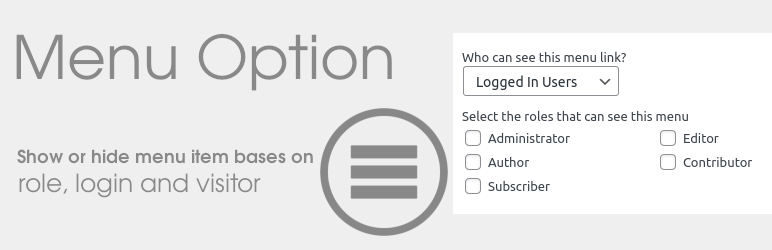
Menu Option provide options in menu to show or hide menu item bases on role, login and visitor.
Everyone -> All visitors can see mneu item.
Logged out users -> Menu item hide for logged in users. for e.g signin or register
Logged in Users -> Menu item only visible for Logged in users, Also can set Role of users like subscriber, editor etc.
Logout Link -> Menu item will replace with logout link for Logged in users.
Options
- Everyone
- Logged Out Users
- Logged In Users
- Select the roles that can see this menu
- Logout Link
- Redirect URL
More Information
- For help use wordpress.org
- Fork or contribute on Github
- Visit our website for more
- Follow me on Twitter
- Follow me on Linkedin
- View my other WordPress Plugins
Support
Did you enjoy this plugin? Please donate to support ongoing development. Your contribution would be greatly appreciated.
Ekrano nuotraukos

Menu Options 
Logout Link Options
Diegimas
- Download and extract the zip archive
- Upload ‘menu-option’ folder to ‘/wp-content/plugins/’
- Activate the plugin through the ‘Plugins’ menu in WordPress
- Go to the Appearance->Menus and configure the options per menu item as desired
DUK
Nothing right now.
Atsiliepimai

Programuotojai ir komandos nariai
“Menu Option” yra atviro kodo programa. Prie jos sukūrimo prisidėję žmonės surašyti toliau.
Autoriai
Išverskite “Menu Option” į savo kalbą.
Domina programavimas?
Peržiūrėkite kodą, naršykite SVN repozitorijoje, arba užsiprenumeruokite kodo pakeitimų žurnalą per RSS.
Pakeitimų istorija
1.0
- First release.
1.1
- New feature added. Logout Link and Redirect URL.