
Aprašymas
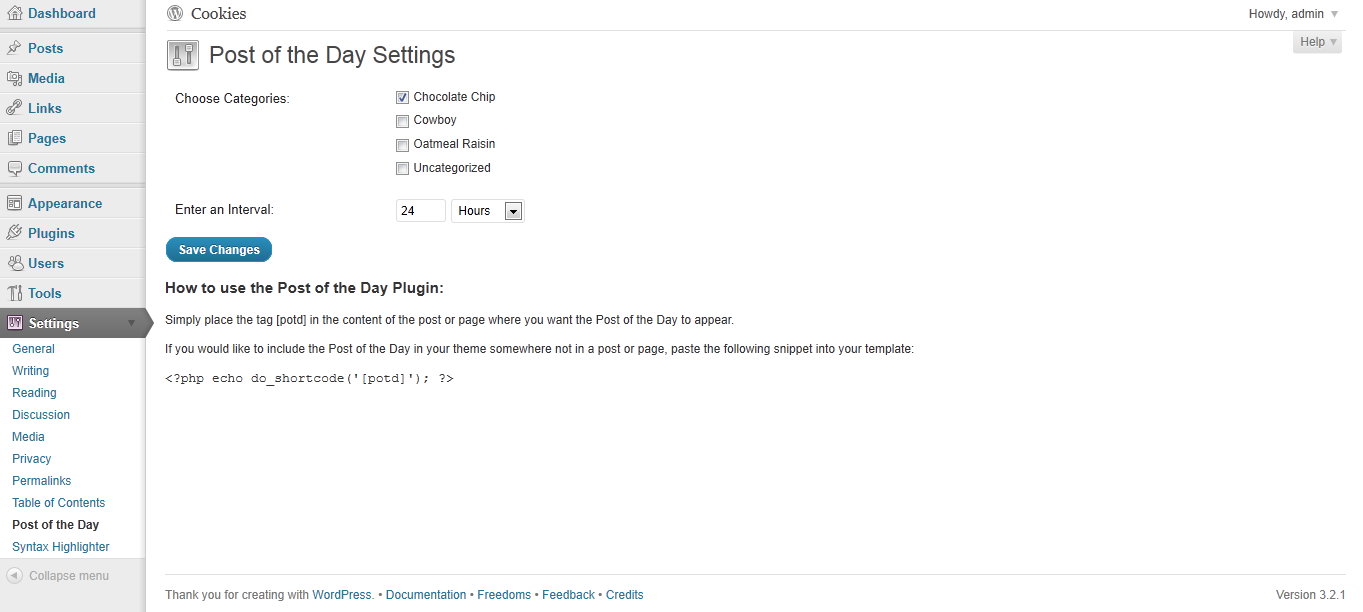
Choose your categories and interval from the settings menu and it will display 1 post from the chosen categories at your set interval, chosen randomly.
Ekrano nuotraukos
Diegimas
- Upload the entire ‘post-of-the-day’ folder to the ‘/wp-content/plugins/’ directory.
- Activate the plugin through the ‘Plugins’ menu in WordPress.
- You should see “Post of the Day” under your Settings. Edit the settings.
- Include this shortcode within a post or page: [potd]
Alternatively, if you want to include the post somewhere in your theme that is not in a post or page, just include the following in your php page:
<?php echo do_shortcode('[potd]'); ?>
DUK
- Can I display more than one post at a time?
-
No, not at this point.
Atsiliepimai

5 balandžio, 2023
I works, i guess. It displays a post.
There is little to no documentation, so it is hard to set up, eg are there any options for image other than thumbnail?
Programuotojai ir komandos nariai
“Post of the Day” yra atviro kodo programa. Prie jos sukūrimo prisidėję žmonės surašyti toliau.
Autoriai
Išverskite “Post of the Day” į savo kalbą.
Domina programavimas?
Peržiūrėkite kodą, naršykite SVN repozitorijoje, arba užsiprenumeruokite kodo pakeitimų žurnalą per RSS.
Pakeitimų istorija
1.0
First Release